Pai Digital

Pocket PDF Studio

Edit, sign and shrink PDFs on your own phone, without uploading them

41 guided tools to scan, compress, sign, merge and redact PDFs on your Android phone, with a Windows edition included. The core tools run on your device, so your documents aren't sent to a conversion server.

  • 41 guided tools
  • Android 10+ and Windows 10/11
  • No account, no watermark
  • One-time price

$38 USD one-time payment · digital download

Buy on Payhip — $38

Checkout on Payhip (PayPal). Your download link appears after payment and in your Payhip receipt email.

Pocket PDF Studio cover

Who it's for

Is it right for you?

A good fit if

  • You handle forms, scans, contracts or school and work paperwork on an Android phone
  • You'd rather not upload private documents to converter websites
  • You're tired of watermarks, daily limits and monthly PDF plans
  • You want one guided app instead of five tabs
  • You also use a Windows 10/11 PC

Not a fit if

  • You only have an iPhone, iPad or Mac
  • You need certificate-based digital signatures
  • You only merge one PDF a year (a free site may be enough)
  • You want an app from Google Play: this installs from the downloaded APK

Look inside

Real pages and screens

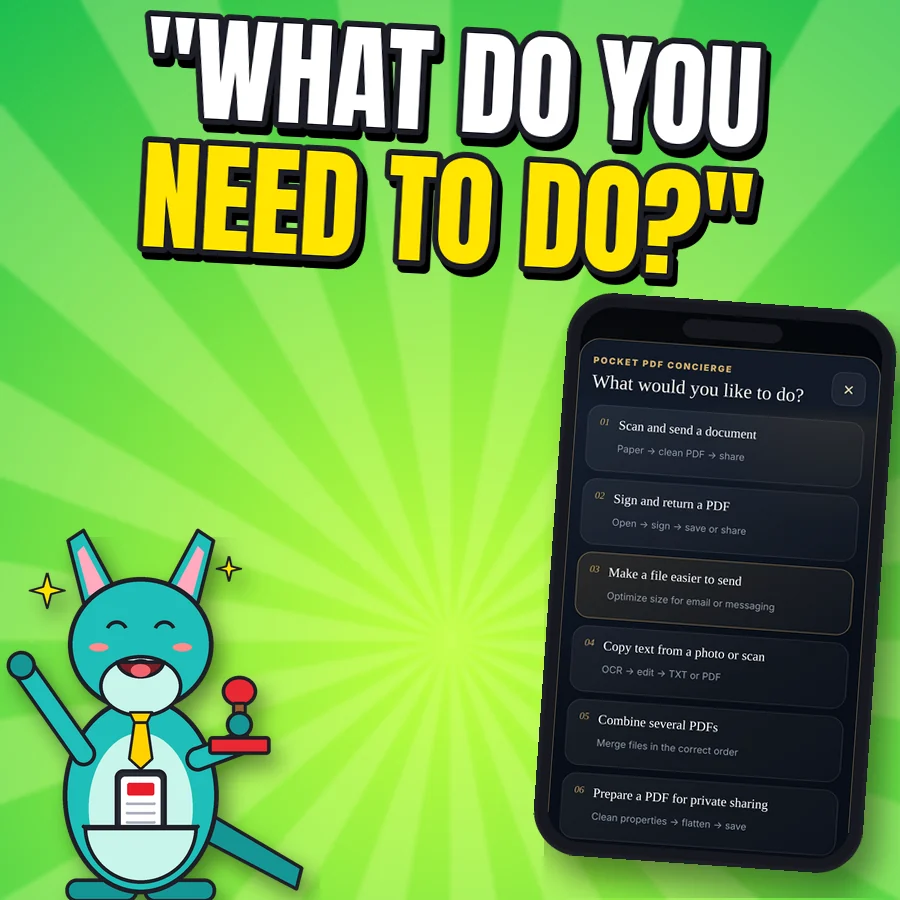
Happy cartoon kangaroo next to the real Concierge screen What would you like to do?
Document Concierge Not sure which tool to use? Pick a goal: scan and send, sign and return, make a file easier to send, copy text, combine PDFs, prepare for private sharing.
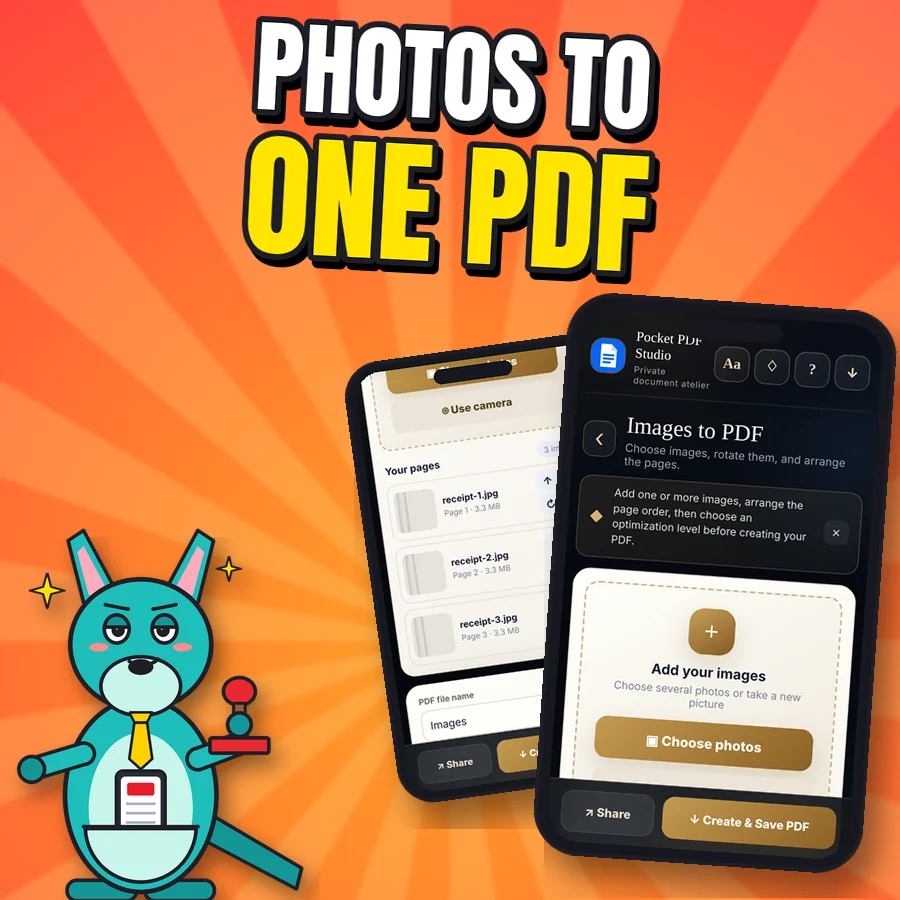
Proud cartoon kangaroo next to two real Images to PDF screens
Photos to one PDF Add photos or take new ones with the camera, put the pages in order, choose page size, then create and save the PDF.
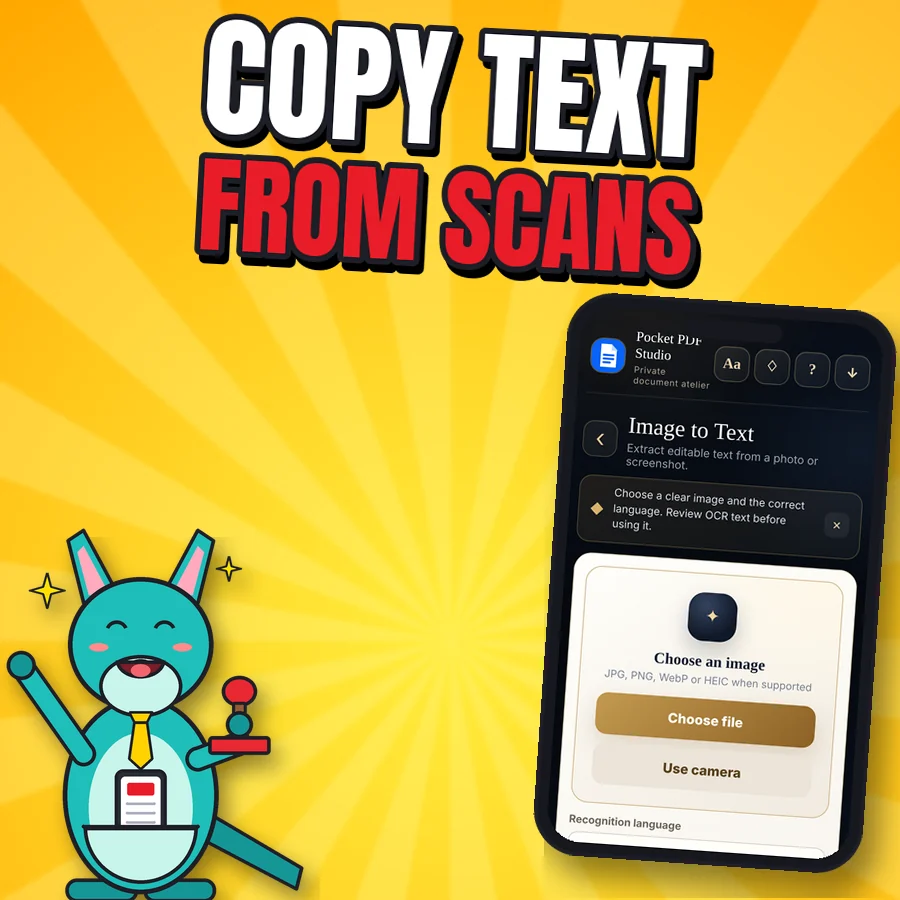
Happy cartoon kangaroo next to the real Image to Text screen
Copy text from scans Image to text, scan to text, PDF to text and searchable PDFs. English text recognition is built in and works offline; other languages download their data once. On Windows, OCR works when you open the app with the included launcher. Always proofread names and numbers.
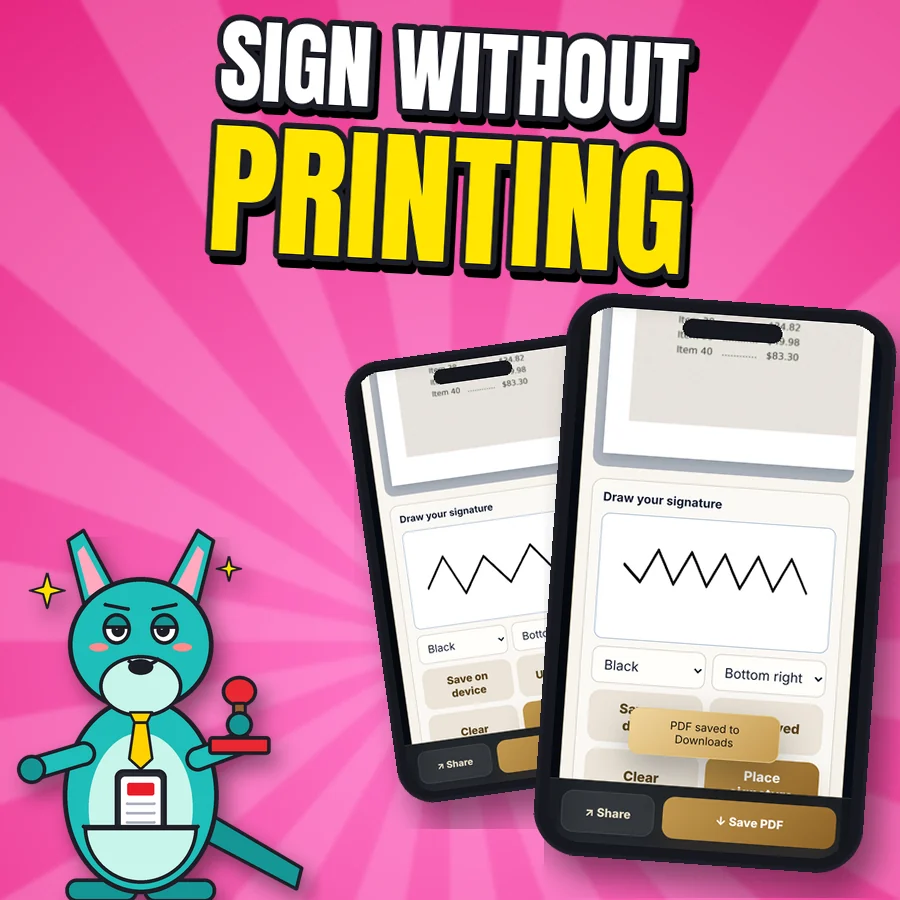
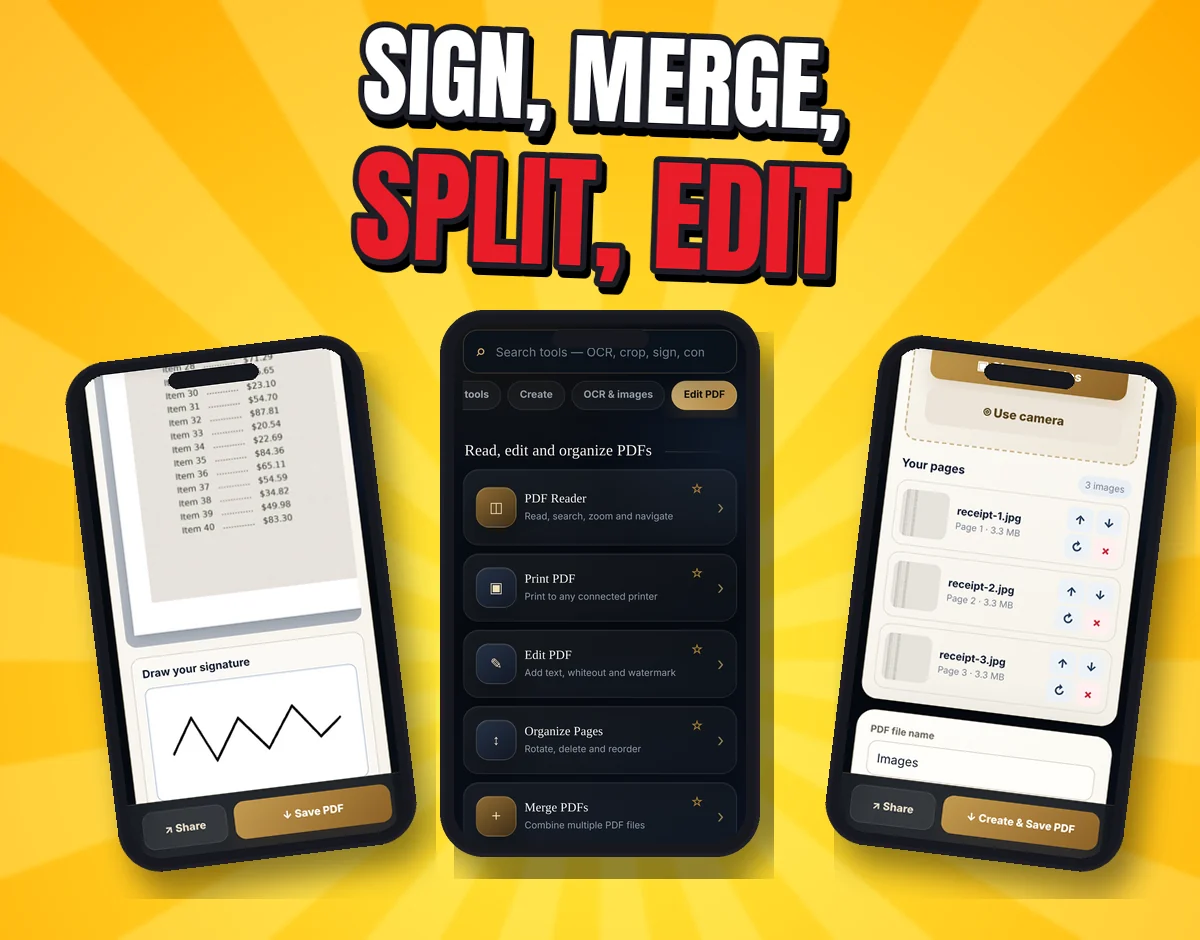
Proud cartoon kangaroo next to two real signature screens: drawing a signature and the signed page saved
Signatures, honestly Draw your signature, save it on your phone and place it on any page. It's a drawn electronic signature, not a certificate-based digital signature, so check what your document requires.
Three real screenshots: drawing a signature, the Read, edit and organize PDFs tool list, and the Images to PDF page list
Create, edit and sign Photos and camera scans to one PDF. Word, Excel and PowerPoint text, TXT, Markdown, HTML, CSV, JSON, XML and copied web or email content to PDF (complex layouts are simplified). Reader with search, merge, split and extract, rotate, reorder, add text, whiteout, watermark, page numbers, headers and footers, Bates numbering, crop and resize. Draw a signature, save it and place it.
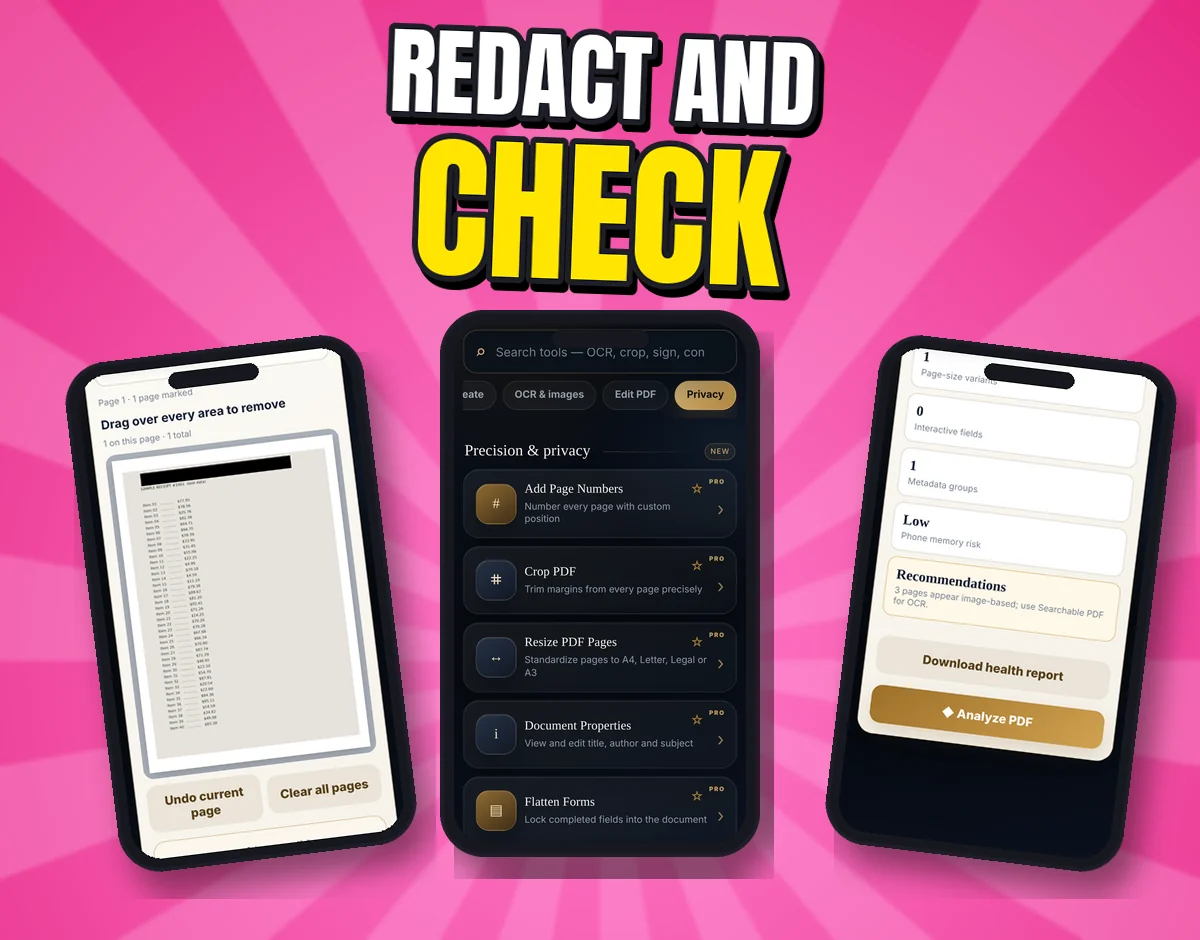
Three real screenshots: the redaction tool, the Precision and privacy tool list, and the PDF Health Check
Privacy tools Secure redaction (the page is flattened, so the text under the box is removed), Privacy Clean for common metadata and form data, and a PDF Health Check: is it searchable, are the pages the same size, are there open form fields, is it heavy for a phone?
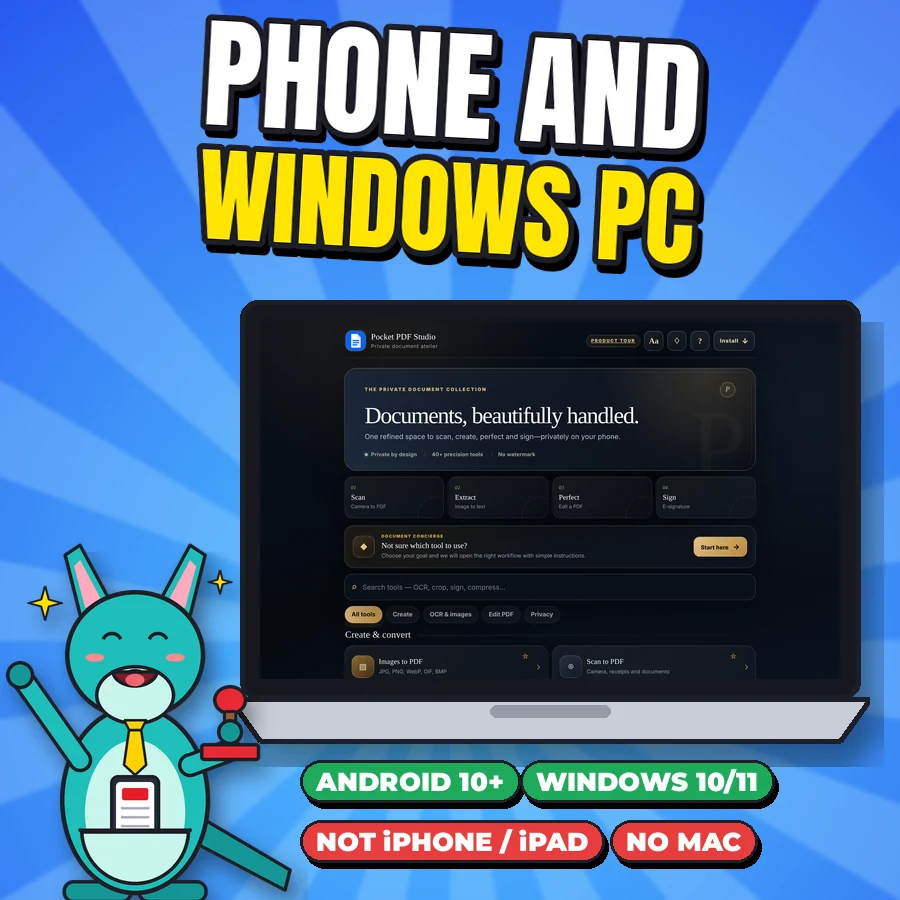
Cartoon kangaroo next to a laptop showing the real computer edition home screen, with badges Android 10+, Windows 10/11, Not iPhone/iPad, No Mac
Android app + Windows edition An Android app (APK) for Android 10 or newer, plus a computer edition for Windows 10/11 that opens in Chrome or Edge (a local browser app, not an installer). Not for iPhone or iPad, and no Mac edition.
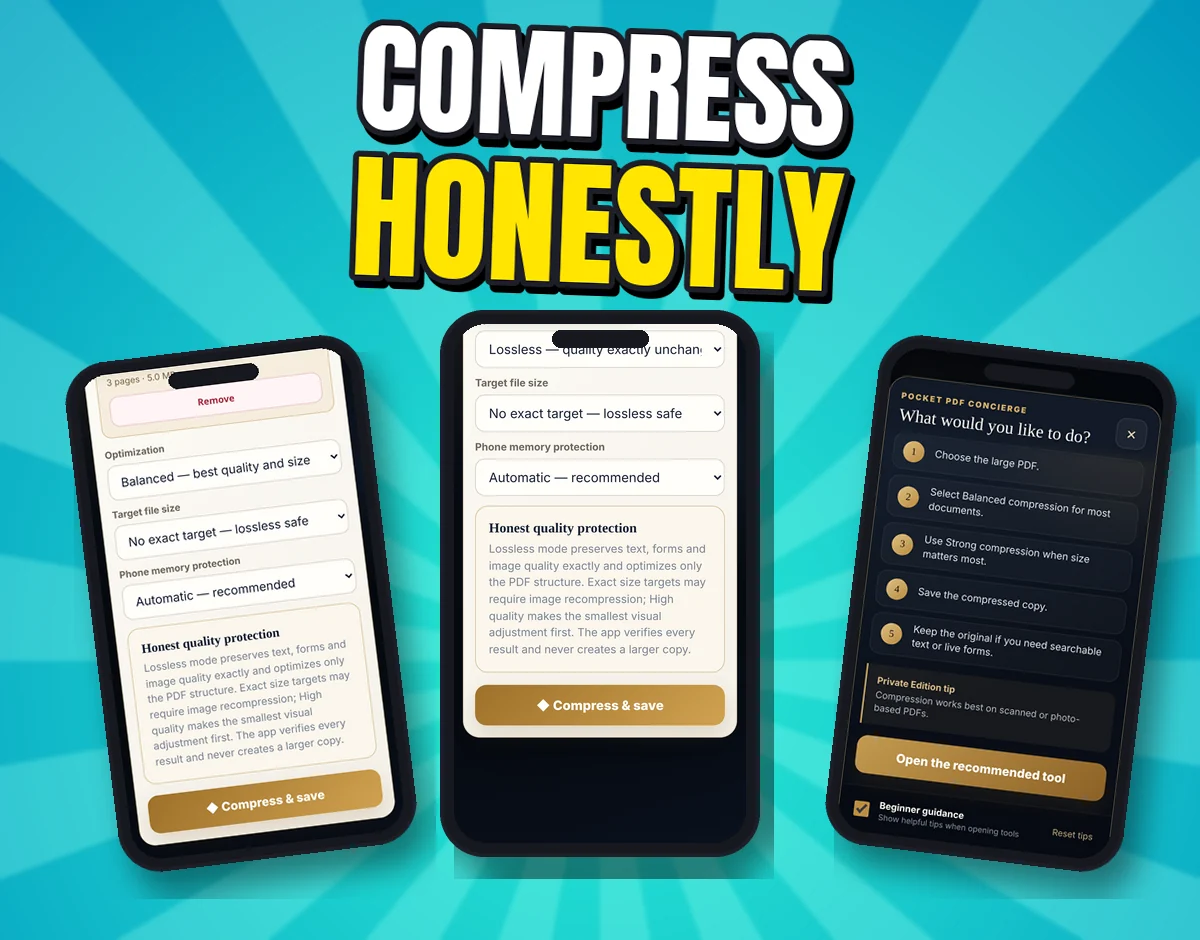
Three real screenshots: Compress PDF options, the Lossless mode and Honest quality protection note, and the Concierge's Make a PDF easier to send steps
Detail Compression that tells the truth. Lossless keeps text, forms and image quality unchanged. Target sizes (under 10, 5, 4, 2 or 1 MB) are a goal, not a guarantee: target modes turn pages into images, so detail can drop and text is no longer selectable (form fields and links are removed). You see the before and after size.

What's included

What you download

guided tools
41
accounts needed
0
watermarks
0
price, no subscription
1
target sizes + lossless
5
platforms
2
  • New in v41: English text recognition (OCR) built in and offline; OCR on the Windows edition through the included one-click launcher; Android app rebuilt with debugging off and signed with the same key, so it installs as an update; clearer compression choices
  • Android app (APK) to install on your phone or tablet, Android 10 or newer
  • Computer edition for Windows 10/11 in Chrome or Edge: extract the folder and double-click the launcher
  • START-HERE buyer guide with step-by-step install help, including the "unfamiliar developer" message Android may show
  • Legal, privacy and licence information inside the app and the package

Setup and use

Tell it what you need. It opens the right tool.

  1. Ask the Concierge

    "What would you like to do?" Pick a goal like Sign and return a PDF, and it opens the right tool with simple steps.

  2. Do it on your phone

    Scan, sign, merge, compress or redact. Search box for every tool, plus in-app help.

  3. Save it where you want

    Save to your phone's folders, then share it. Keep your original, and check the result before you send it.

After checkout: Checkout on Payhip (PayPal). Your download link appears after payment and in your Payhip receipt email.

Try it: the Concierge

What do you need to do?

These are the app's own Concierge goals and steps. Tap one.

Pick a PDF job:

Tap a job above to see the steps.

Make a PDF easier to send

Reduce a large scanned document for email or messaging.

  1. Choose the large PDF.
  2. Select Balanced compression for most documents.
  3. Use Strong compression when size matters most.
  4. Save the compressed copy.
  5. Keep the original if you need searchable text or live forms.

Compress PDF

Sign and return a PDF

Add your handwritten signature without printing.

  1. Choose the PDF you received.
  2. Go to the page that needs your signature.
  3. Draw your signature in the signature box.
  4. Choose its page position and place it.
  5. Save or share the signed copy.

E-SignDrawn e-signature, not certificate-based

Scan and send a document

Turn paper into a clean, correctly ordered PDF.

  1. Place the paper on a flat surface with even light.
  2. Use the camera and capture every page.
  3. Rotate or reorder pages if needed.
  4. Choose Balanced or Small file optimization.
  5. Create the PDF, then tap Share.

Scan to PDFSmart Scan Enhance

Combine several PDFs

Join separate files into one correctly ordered document.

  1. Select two or more PDFs together.
  2. Review the displayed file order.
  3. Create the merged document.
  4. Open the result to confirm the page sequence.
  5. Save or share the combined PDF.

Merge PDFs

Copy text from a photo or scan

Recognize text and reuse it in notes, messages or a new PDF. English works offline; other languages download their data the first time you use them.

  1. Choose a photo, screenshot or camera scan.
  2. Select the document language.
  3. Run text recognition.
  4. Review and correct any unclear characters.
  5. Copy, save as TXT or turn the result into a PDF.

Image to TextEnglish offline

Prepare a PDF for private sharing

Clear common document properties and lock supported form values. For hiding visible text, use Secure Redaction.

  1. Keep a backup of the original.
  2. Choose the PDF in Privacy Clean.
  3. Review what the cleaner changes.
  4. Create the cleaned copy.
  5. Open the copy and confirm all visible information is intended.

Privacy CleanSecure Redaction

Steps copied from the app's Concierge.

Check before you buy

Will it work on your device?

Please check this first. There's no iPhone version.

What will you use it on?

Tap your device above.

✅ Yes

Install the APK from your download (not from Google Play). Android may ask you to allow installs from that source and may show an "unfamiliar developer" message; the START-HERE guide walks you through it.

❌ Not supported

Pocket PDF Studio is supported on Android 10 or newer. Please don't buy it for an older phone.

✅ Yes, with Chrome or Edge

Extract the zip, open the folder and double-click the launcher; the app opens in your browser. It's a local browser app, not an installer. Core tools and English OCR work when you start it with the launcher (opening index.html directly works for basic tools, but OCR needs the launcher).

❌ No

Not for iPhone or iPad. iOS can't install Android apps.

❌ No Mac edition

There's no Mac edition, so please don't buy it for a Mac.

If your device got a green light, you're good to go.

Get Pocket PDF Studio · $38

Device and browser capabilities vary. Very large or password-protected files may need extra steps.

Before you buy

Devices, formats and limitations

Devices

  • Android 10 or newer: installed from the downloaded APK, not from Google Play
  • Windows 10/11: a local browser app that opens in Chrome or Edge (extract the zip, double-click the launcher)
  • Not for iPhone, iPad or Mac

Formats

  • Android app (APK)
  • Windows edition (zip folder with launcher)
  • START-HERE buyer guide

Limitations and licence

  • Android 10+ (APK install, not Google Play) and Windows 10/11 with Chrome or Edge. Not for iPhone or iPad. No Mac edition.
  • A drawn signature is an electronic signature, not a certificate-based digital signature. Always review OCR, conversion, redaction and form results before relying on them.
  • One personal-use licence. Please don't redistribute.

The price, honestly

Is US$38 worth it for you?

  • One price for the 41 tools shown on this page, on your Android phone and your Windows PC.
  • No subscription, no account and no watermark.
  • Worth it if you sign, shrink, merge or redact PDFs often and want that done on your own device.
  • Not worth it if you only need one PDF job a year. A free website may be enough.

No discounts, timers or limited spots, just one price. Check the device list above before you buy.

FAQ

Questions about Pocket PDF Studio

$38 for a PDF app?

It's one price for 41 tools on your Android phone and Windows PC, with no subscription, no watermark and no account. If you only need one PDF job a year, a free site may be enough.

I'm not techy. Can I use it?

Yes. The Document Concierge asks what you want to do and opens the right tool with simple steps, and there's a search box for every tool. The START-HERE guide covers the install and your first five minutes.

Can't I do this free?

Free websites can merge or compress, but many upload your file, add watermarks or limit you each day. This keeps the core tools on your device in one place. If you only need one merge a year, a free site may be enough.

I have an older version. Can I update?

Yes, on Android 10 or newer: keep v38, v39 or v40 installed, install the v41 APK and choose Update. v41 no longer supports Android 8 or 9.

Does it work on iPhone, iPad or Mac?

No. Not for iPhone or iPad (iOS can't install Android apps), and there's no Mac edition. It's for Android 10+ and Windows 10/11.

Does it work on Windows?

Yes. The Windows 10/11 edition opens in Chrome or Edge: extract the zip and double-click the included launcher (a local browser app, not an installer). Core tools and English OCR work when you start it with the launcher.

Does it need internet?

The core tools (create, edit, merge, sign, compress, redact) run on your device. English text recognition is built in and works offline. Non-English OCR languages, opening websites, updates and some share destinations need internet. Try a simple task in airplane mode to check on your device.

Is a signature from the app legally valid?

It's a drawn electronic signature, not a certificate-based digital signature. Check what your document requires.

Why isn't it on Google Play?

It installs from the APK file you download. Android may show an "unfamiliar developer" message; the guide explains what to check. Keep Play Protect on.

Can I get a refund?

7-day refund if the file is unused, corrupt, or materially misrepresented. Contact paidigitalstore@gmail.com. This doesn't limit your rights under applicable consumer law.

Support and refunds

Need help?

Questions, or a file won't open? Email paidigitalstore@gmail.com with your order number. Sold by Pai Keng Kuan (Pai Digital, individual seller).

Refunds: 7-day refund if the file is unused, corrupt, or materially misrepresented. Contact paidigitalstore@gmail.com. This doesn't limit your rights under applicable consumer law. Store policies.

Related

You might also like