Pai Digital

Contractor Quote & Profit Calculator

Price every job from true costs. See markup and margin side by side.

A 25% markup is only a 20% margin. The workbook shows both, works out what an hour of labour really costs you, adds contingency, tax and deposit, and turns it into a clean client quote. After the job, compare estimate vs actual.

  • 9-tab Excel workbook
  • Demo job + blank
  • 28-page guide
  • Quote + change order .docx

$11.99 USD one-time payment · digital download

Buy on Payhip — $11.99

Checkout on Payhip (PayPal). Your download link appears after payment and in your Payhip receipt email.

Contractor Quote & Profit Calculator cover

Who it's for

Is it right for you?

A good fit if

  • Contractors, trades and handyman businesses who write their own quotes
  • Anyone who isn't sure what an hour really costs
  • People who mix up markup and margin
  • Excel users (works in Google Sheets too)

Not a fit if

  • You need full estimating or accounting software
  • You want tax, legal or financial advice
  • You want guaranteed profit

Look inside

Real pages and screens

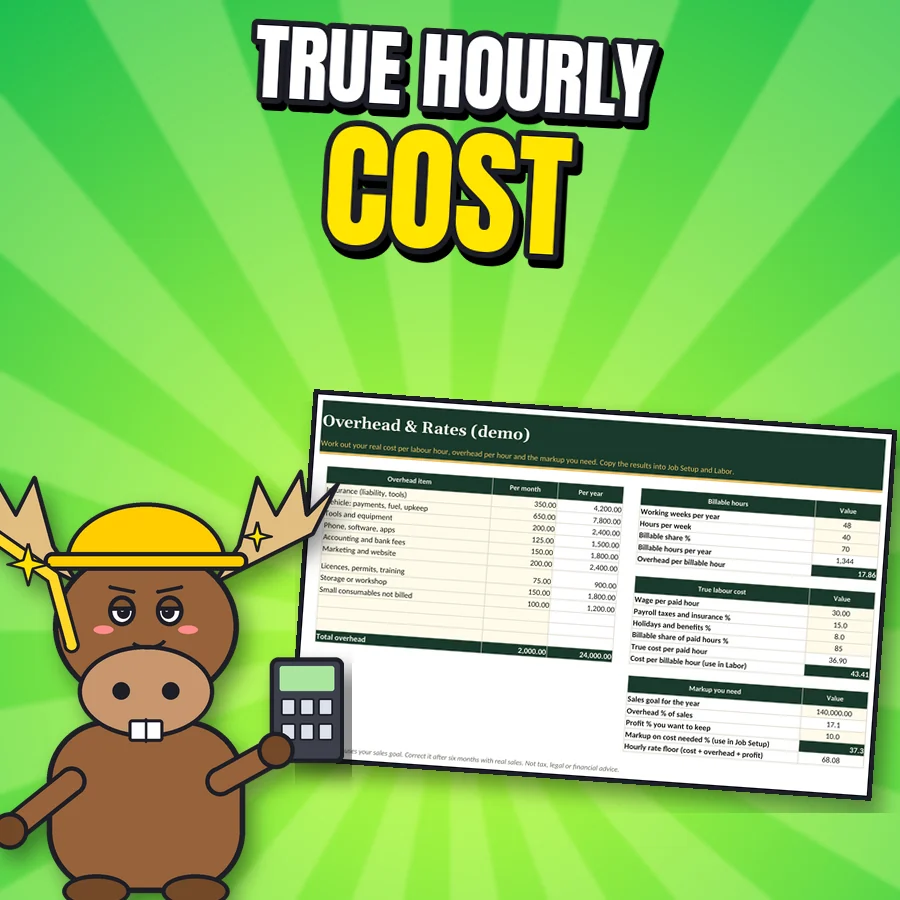
Proud cartoon moose next to the real Overhead and Rates sheet
Overhead & Rates True cost per labour hour and the markup your overhead needs (demo numbers).
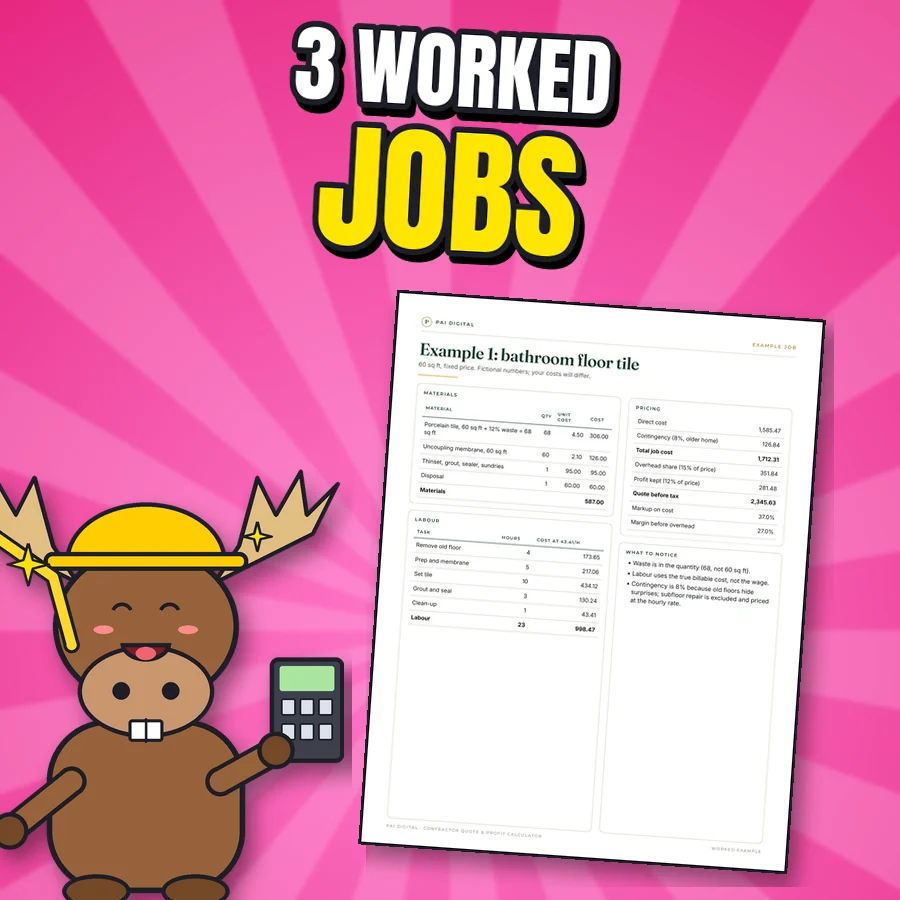
Happy cartoon moose next to the real Example 1: bathroom floor tile page
3 worked jobs A bathroom floor tile, a deck stain (fixed price vs time and materials) and a handyman minimum charge.
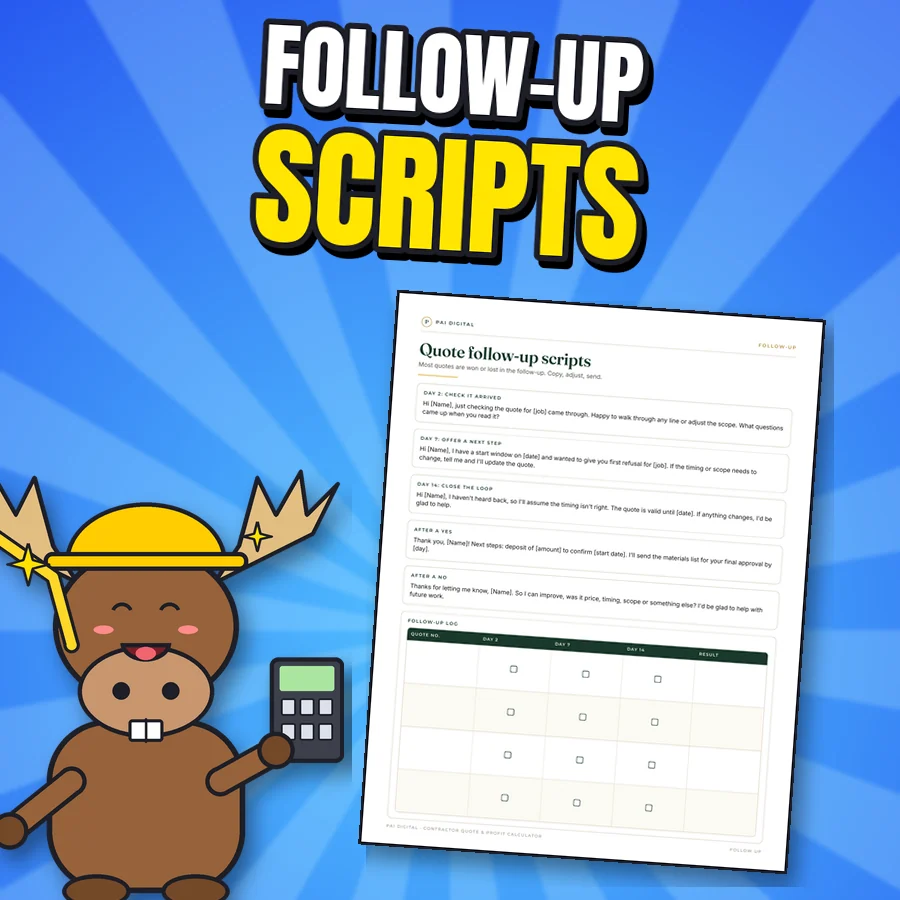
Happy cartoon moose next to the real Quote follow-up scripts page
Follow-up scripts What to send on day 2, 7 and 14, plus calm answers to price objections.
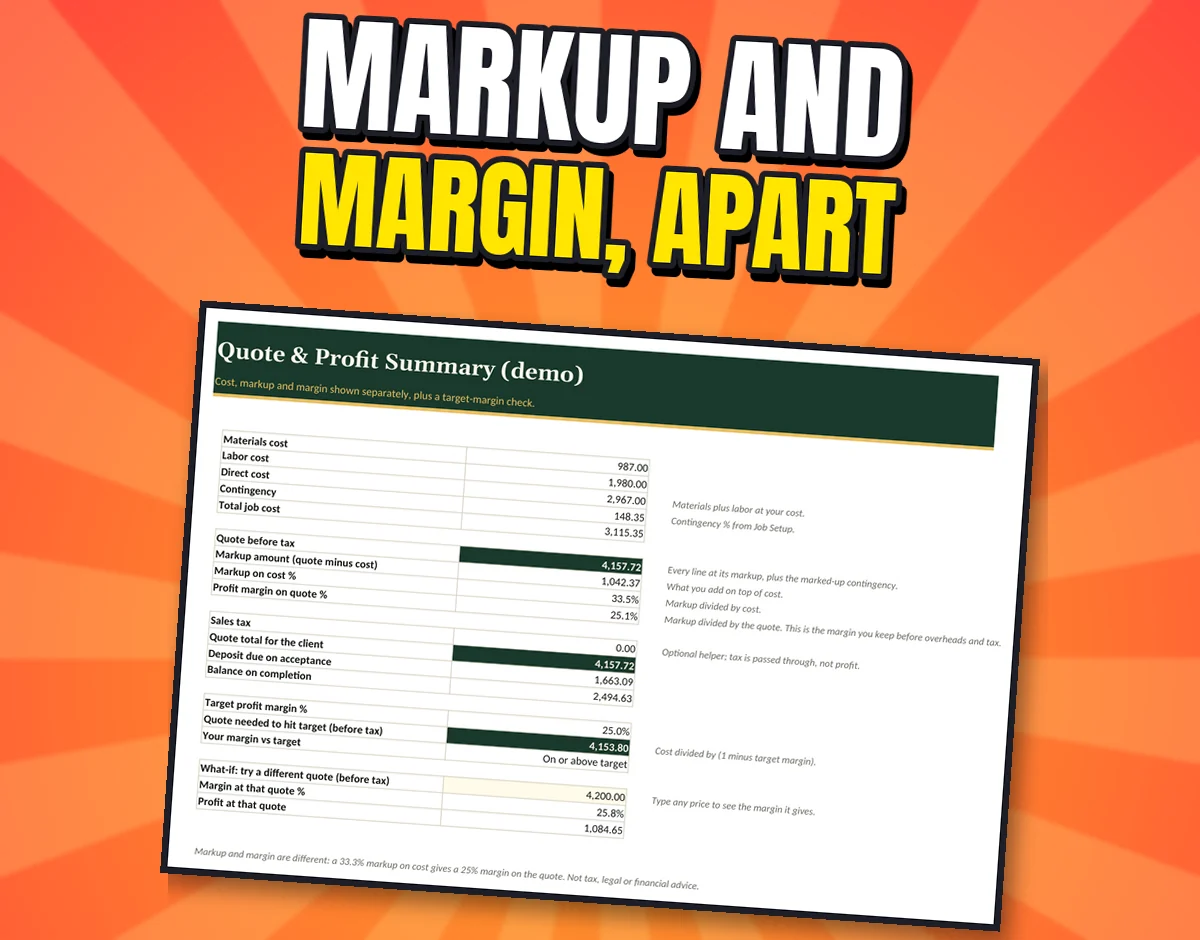
The real Quote and Profit Summary tab with the demo kitchen job
Quote & Profit Summary Cost, markup on cost % and profit margin % shown separately, with target margin and a what-if price.
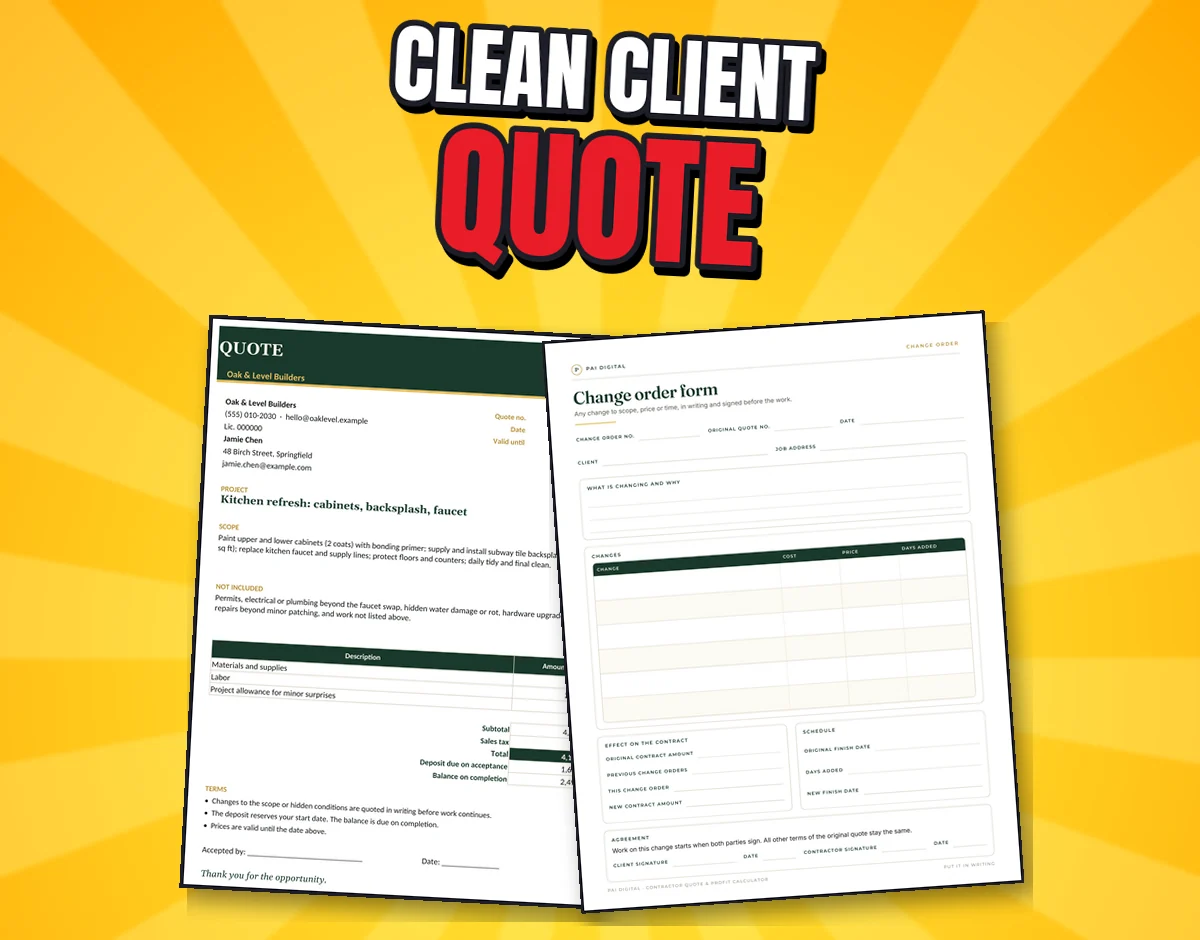
The real Client Quote sheet and the Change order form page
Client quote + change order A clean quote for the client, plus Client-Quote and Change-Order templates in Word.
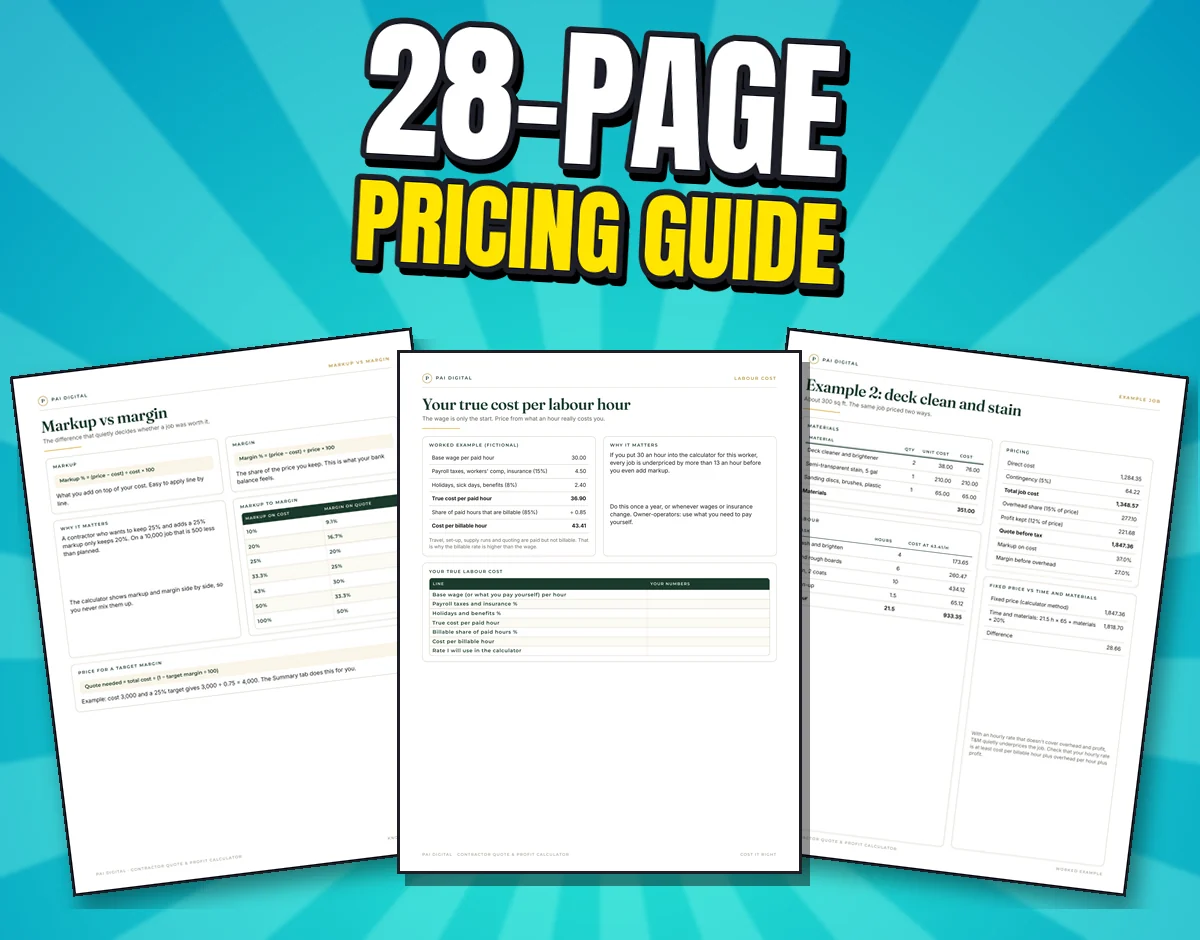
Three real Pricing Guide pages: markup vs margin, true cost per labour hour and the deck example
28-page Pricing Guide Markup vs margin, true labour cost, overhead, pricing methods, contingency, waste allowances and 3 worked jobs.

What's included

Everything in the download

workbook tabs
9
guide pages
28
worked jobs
3
Word templates
2
  • Contractor_Quote_Profit_Calculator.xlsx (demo kitchen job) and a BLANK copy: Start Here, Job Setup, Materials, Labor, Summary, Client Quote, Overhead & Rates, Job Costing, Quote Log (win rate)
  • Client-Quote-Template.docx and Change-Order-Template.docx
  • CSV files of the demo job
  • Pricing Guide, 28 pages, US Letter and A4: markup lookup table, overhead calculator, 3 worked jobs (tile floor, deck stain fixed price vs T&M, handyman minimum charge), bid/no-bid scorecard, job walk sheet, takeoffs, payment schedules, follow-up scripts, price-objection answers, win/loss log

Setup and use

True costs in. Clean quote out.

  1. Set your rates

    Overhead & Rates: true hourly cost and the markup your overhead needs.

  2. Build the job

    Job Setup, Materials and Labor. Summary shows cost, markup %, margin % and a target-margin check.

  3. Send and learn

    Client Quote with scope and deposit. Afterwards, Job Costing compares estimate vs actual.

After checkout: Checkout on Payhip (PayPal). Your download link appears after payment and in your Payhip receipt email.

Try it

Markup vs margin

Formulas from page 3 of the guide. Example: cost 3,000.

$
%
%
Margin you'd actually keep–
–price with that markup
–quote needed for your target
–markup that target needs

Example numbers only. Not financial advice.

Try it

What one hour really costs you

The guide's worked example (fictional): a 30.00 wage becomes 43.41 per billable hour.

$
%
%
%
Cost per billable hour–
–true cost per paid hour

The Overhead & Rates tab does this, then adds your overhead and shows the markup you need.

Get the calculator on Payhip · $11.99

Travel, set-up, supply runs and quoting are paid but not billable. That's why the billable rate is higher than the wage.

Before you buy

Devices, formats and limitations

Devices

  • A pricing tool, not tax, legal or financial advice. Example numbers are fictional. No income guarantees.

Formats

  • Delivered as a digital download (see What's included).

Limitations and licence

  • A pricing tool, not tax, legal or financial advice.
  • Example numbers are fictional; your costs will differ. No income guarantees.
  • Personal use licence. Digital download, nothing is shipped.

FAQ

Questions about Contractor Quote & Profit Calculator

Is $11.99 worth it?

It's one payment for the workbook, quote and change-order templates and a 28-page pricing guide.

I'm not a spreadsheet person. Can I use it?

Yes. The demo kitchen job shows every tab filled in, and Start Here explains the order. Then use the BLANK copy.

Couldn't I build a quote sheet myself?

You could. This saves the formulas and adds overhead maths, job costing, scripts and a quote log.

Does it work in Google Sheets?

It's built for Excel and also opens in Google Sheets.

Where else can I buy it?

It's also in our Etsy shop (Pai Digital, PaiAIStore). Same files.

Support and refunds

Need help?

Questions, or a file won't open? Email paidigitalstore@gmail.com with your order number. Sold by Pai Keng Kuan (Pai Digital, individual seller).

Refunds: 7-day refund if the file is unused, corrupt, or materially misrepresented. Contact paidigitalstore@gmail.com. This doesn't limit your rights under applicable consumer law. Store policies.

Related

You might also like