Pai Digital

Freedom Clock

Money, home, family and side-hustle admin in one private app you own

Budget, bills, House Clock, meals, calendar, private notes and a client CRM in one app that lives on your device. No account. No server. Nothing is ever uploaded. Pay once.

  • 27 sections
  • 5 languages
  • Works offline
  • No account, nothing uploaded

$30 USD one-time payment · digital download

Buy on Payhip — $30

Checkout on Payhip (PayPal). Your download link appears after payment and in your Payhip receipt email.

Freedom Clock cover

Who it's for

Is it right for you?

A good fit if

  • You want money, home, family and side-hustle admin in one place
  • You'd rather keep your data on your own device than make another account
  • You own a home and want to plan for the roof, water heater and HVAC
  • You run a small side hustle and need a simple client list and quotes
  • Your household reads Vietnamese, Chinese, French or Spanish too

Not a fit if

  • You need live sync between devices or a partner (it uses backup files instead)
  • You want it to connect to your bank and import transactions automatically
  • You want voice input in Firefox (voice needs Chrome, Edge or Safari)
  • You need financial advice or a real home inspection

Look inside

Real pages and screens

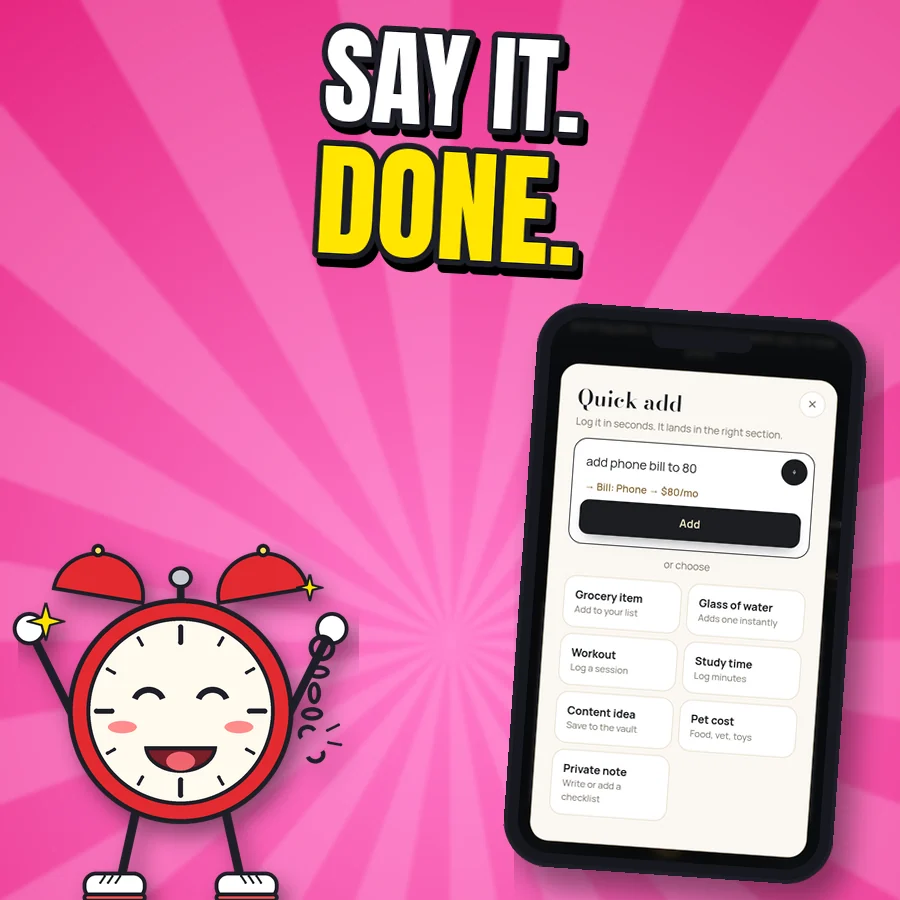
Cartoon alarm clock next to the real Quick add screen showing add phone bill to 80
Say it, it's done Quick add understands "add phone bill to 80", "dentist Tue 3pm" or "milk, eggs". Voice works in browsers with voice typing (Chrome, Edge, Safari), not Firefox; typing always works.
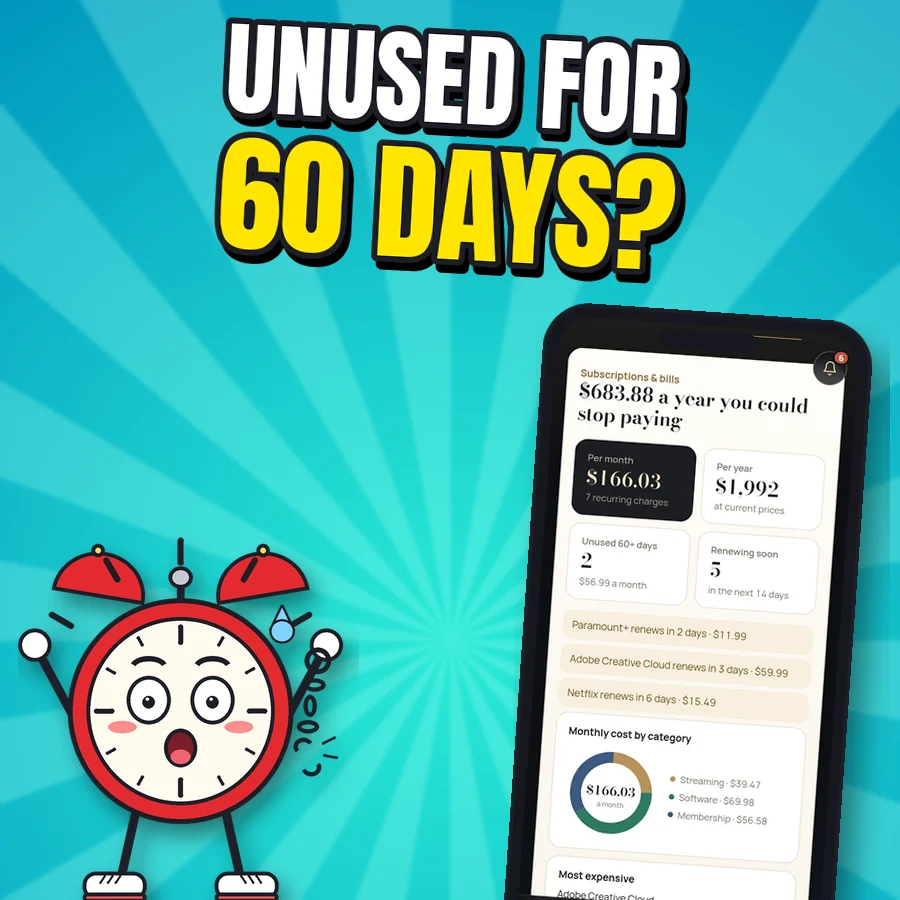
Shocked cartoon alarm clock next to the real Subscriptions and bills screen with sample data
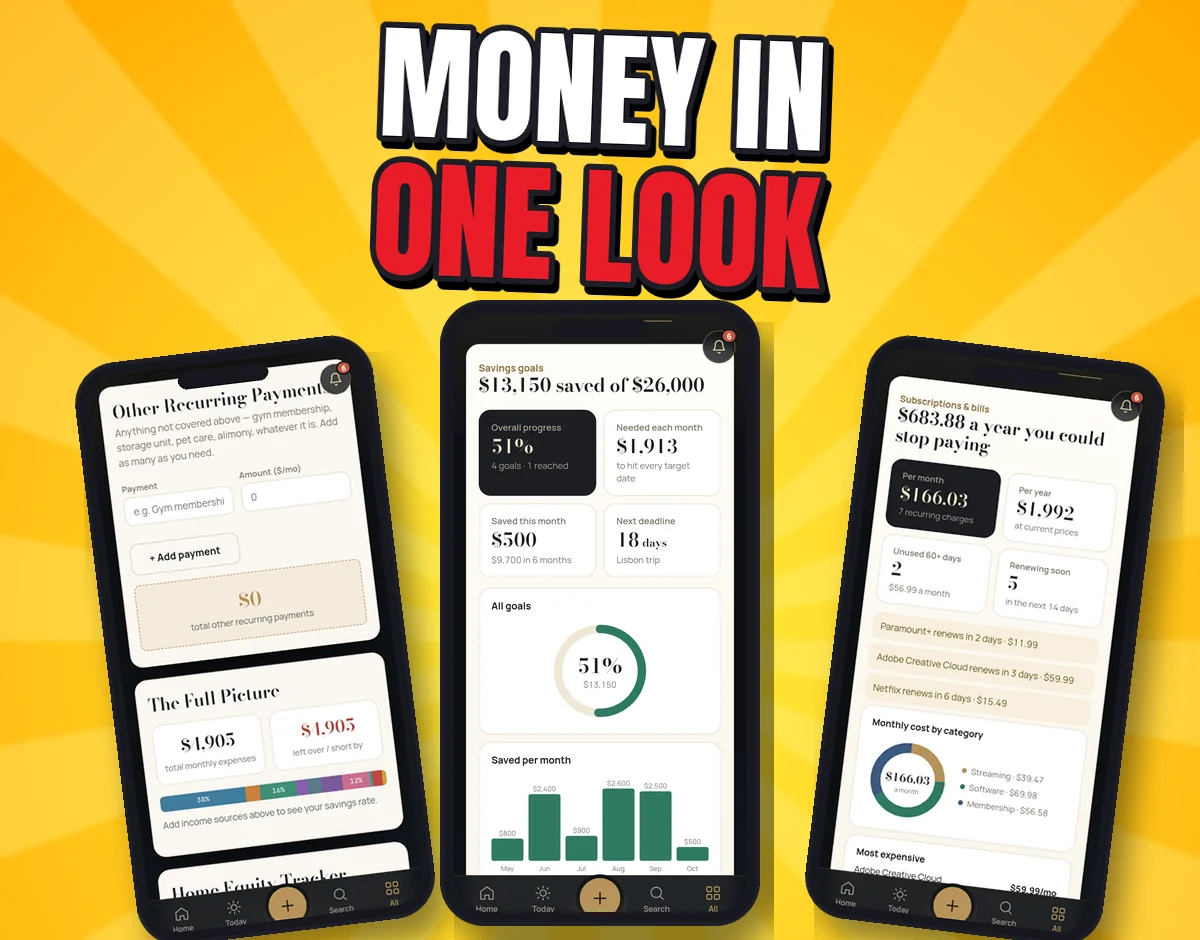
Subscriptions, out in the open Every subscription and bill in one list, with renewals coming up and the ones you haven't used in 60+ days flagged (screen shows sample data).
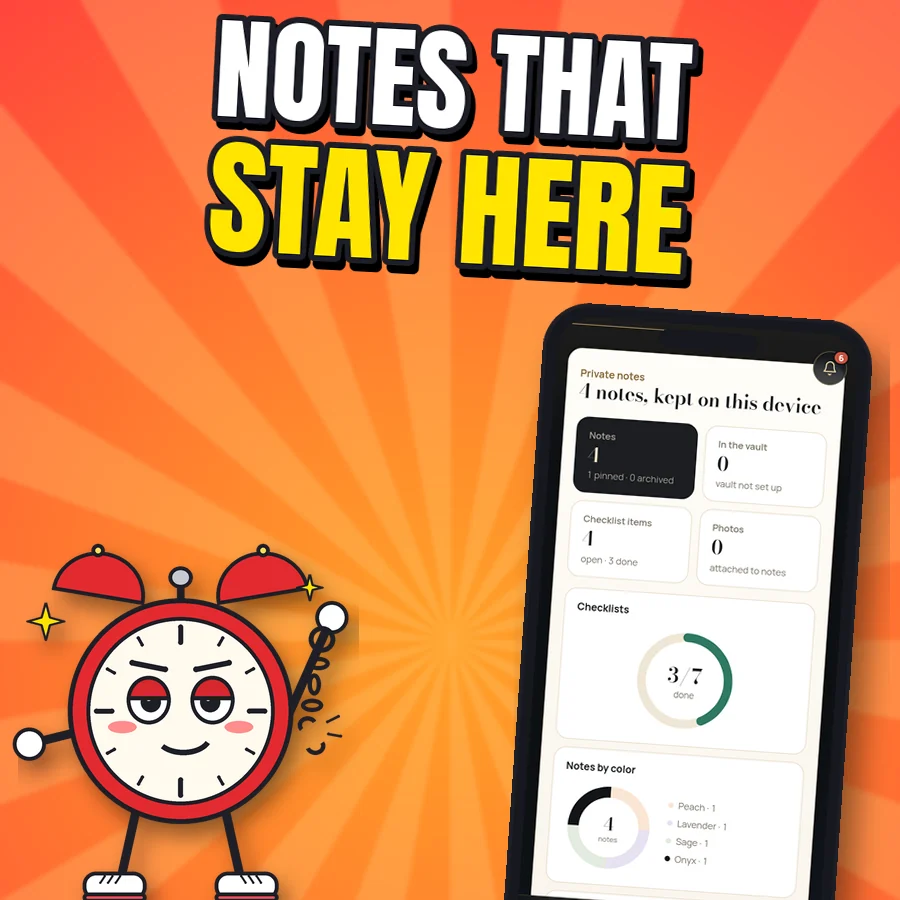
Proud cartoon alarm clock next to the real private notes screen
Notes that stay on your device Everyday notes and checklists, plus a private vault where notes are encrypted with AES-256. Only the private notes are encrypted, so keep a passcode on your phone as usual.
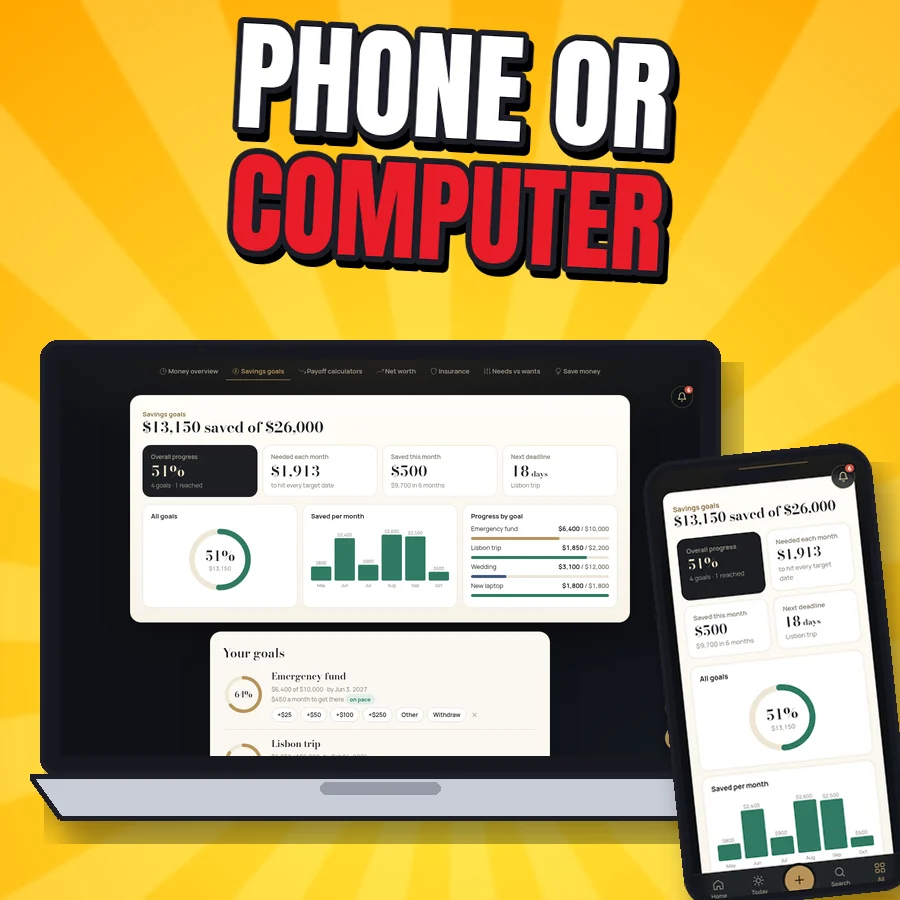
Freedom Clock savings goals screen on a laptop and on a phone
Phone or computer Same app on a laptop or phone. There's no live sync (no server holds your data): move between devices with a backup file.
Three real Freedom Clock screens on phones: money overview, savings goals and subscriptions
Money Money overview (income, expenses, what's left), needs vs wants (50/30/20 check), savings goals with progress rings, net worth snapshots, insurance tracker, and subscriptions & bills.
Three real Freedom Clock screens on phones: meal plan, life calendar and client CRM
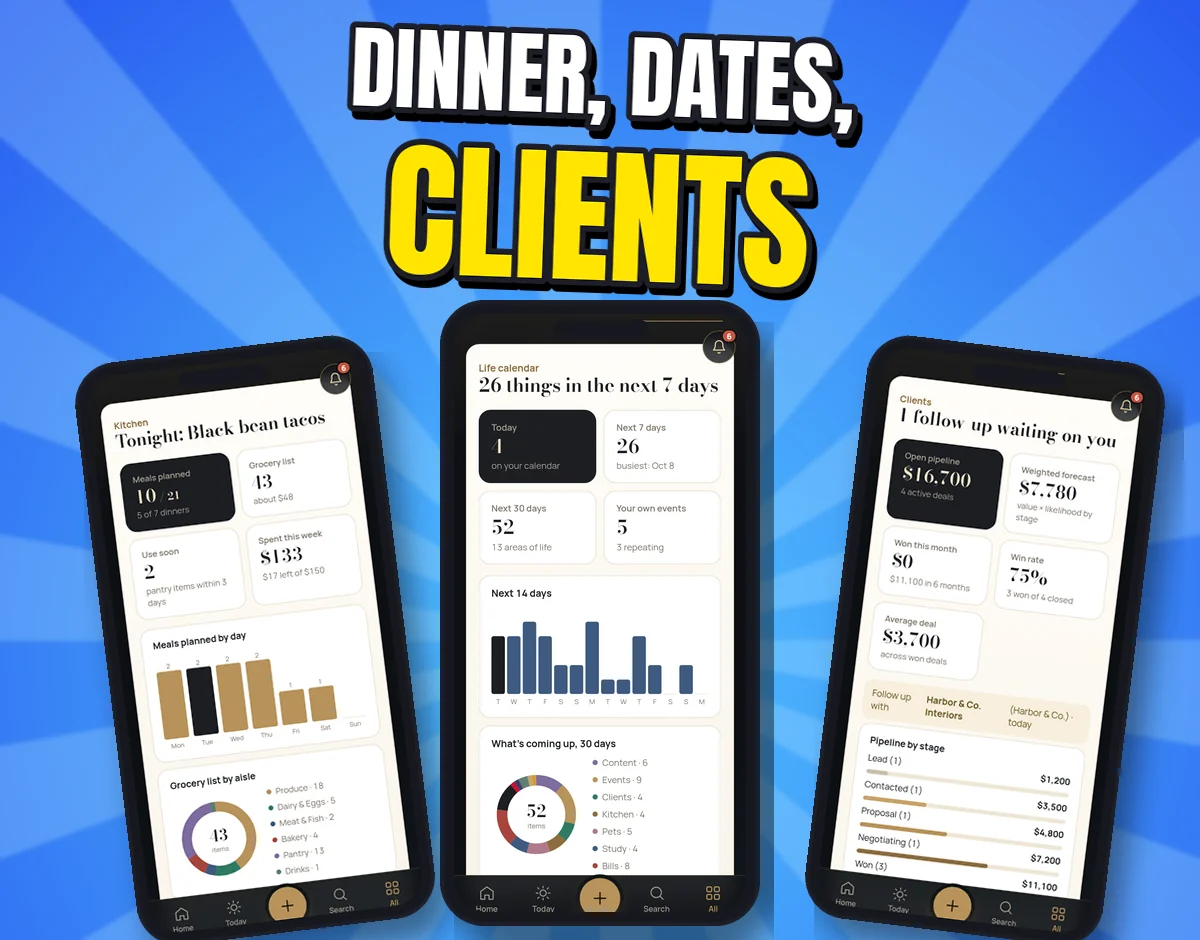
Home, family & side hustle Meal plans with grocery lists sorted by aisle (skipping what's in your pantry), a life calendar with Canadian and US holidays, pet care, shared household costs, a client CRM, quotes with a price book and a content planner.
The same Freedom Clock calendar screen in English, Vietnamese, Chinese, French and Spanish
5 languages, one price Menus and the guide in English, Tiếng Việt, 中文, Français and Español. Switch anytime in Settings. (Sample data and a few headings stay in English.)
Real Freedom Clock screens: the House Clock report with roof, water heater and HVAC status, the estimated cost of systems coming due, and the mortgage payoff calculator
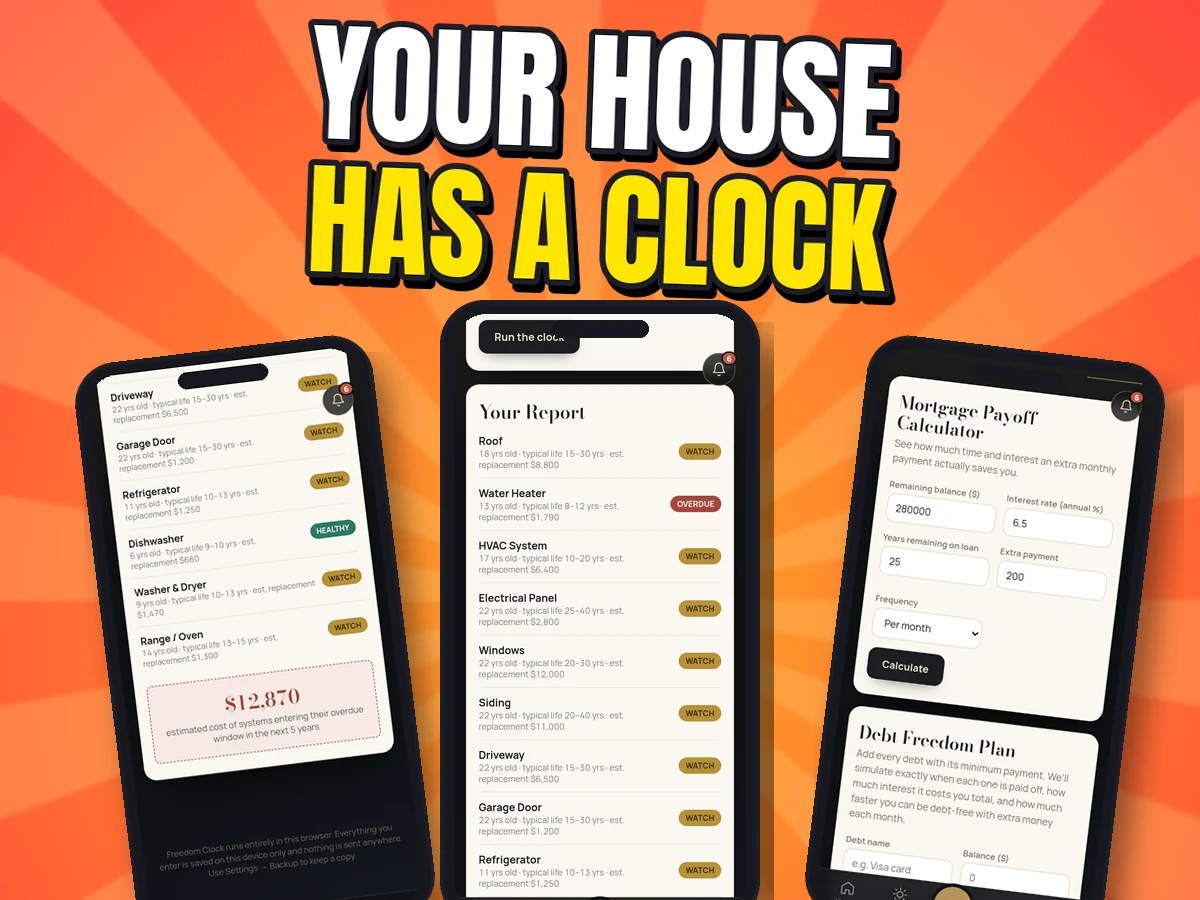
Detail The House Clock turns your home's build year into a report: each system marked Healthy, Watch or Overdue, with an estimated replacement cost and the total coming due in the next 5 years. Handy for planning a repair fund. It's an estimate from typical lifespans, not an inspection.

What's included

Everything in the zip

sections
27
tools
28+
payoff calculators
4
quick tools
8
languages
5
accounts needed
0
  • freedom-clock.html: the whole app in one file. Open it in Chrome, Safari or Edge, no setup
  • The installable version (index.html, manifest, service worker, icons, bundled fonts) so it can sit on your home screen and work offline
  • USER-GUIDE.html: step-by-step help for every section, plus README-START-HERE.txt
  • Payoff calculators: mortgage, debt payoff (avalanche and snowball), refinance break-even, retirement
  • Private notes locked with AES-256 encryption on your device, with a recovery key or 3 security questions. Photos, sketches, voice memos and checklists
  • Also: habit tracker, fitness & wellness, study & exams, travel planner, wedding & events planner, reminders, and quick tools like a tip calculator and timer

Setup and use

From 10 logins to one app you own

  1. Open one file

    Unzip and open freedom-clock.html in Chrome, Safari or Edge. It works right away, even offline. Want it on your home screen? The guide shows a free 2-minute install.

  2. Look around first

    Tap "Explore with sample data" and take the 1-minute tour. Every section has first-time tips and there's a Guide tab.

  3. Add your life

    Income, bills, birthdays, meals, clients. Or tap + and type (or say, in browsers with voice typing) "add phone bill to 80".

After checkout: Checkout on Payhip (PayPal). Your download link appears after payment and in your Payhip receipt email.

Try it: 10 seconds

What would your House Clock say?

A mini version of the app's House Clock. Slide to your home's build year.

Assumes the original parts were never replaced, using the same typical lifespans as the app. In the full House Clock you add the years you replaced things, choose roof and water-heater types, and add appliances, siding, driveway and garage door with estimated replacement costs.

Roof (asphalt shingles) –
Water heater (tank) –
Heating & cooling (HVAC) –
Windows –

Want the full report with replacement-cost estimates and your 5-year total?

Get Freedom Clock · $30

Estimate from typical lifespans, not an inspection. Your home may differ a lot.

Example maths

Add up your monthly apps

Type what you actually pay each month. The rows are just examples, so change or zero them.

Your monthly subscriptions (example rows)

$
$
$
$
$
Every month–
–over 1 year
–over 5 years

Freedom Clock covers budgeting, notes, meals, calendar and a client CRM for $30 once.

Get Freedom Clock · $30

Simple multiplication of the numbers you enter. It isn't a savings promise: whether you cancel anything is up to you, and Freedom Clock doesn't replace things like streaming or cloud backup.

Before you buy

Devices, formats and limitations

Devices

  • Phone, tablet or computer in Chrome, Safari or Edge (iPhone, Android, Windows, Mac, Chromebook)
  • Optional install to your home screen (steps included)
  • No live sync: move devices with a backup file

Formats

  • freedom-clock.html (the app in one file)
  • Installable version (manifest, service worker, icons)
  • USER-GUIDE.html and README-START-HERE.txt (one 1.2 MB zip)

Limitations and licence

  • Money tools are educational planning tools, not financial advice. House Clock figures are estimates, not an inspection.
  • Personal, single-user licence. Please don't resell or share the files.

FAQ

Questions about Freedom Clock

Is $30 worth it?

It's one payment, with no subscription, no ads and no upsells, for an app that covers money, home, family and side-hustle admin: 27 sections, 28+ tools, 5 languages. Look through the real screens above and decide if it fits how you live.

Is it hard to set up?

No. Open freedom-clock.html in your browser and it works. There's a 1-minute tour, a Guide tab, first-time tips and "Explore with sample data". Installing it as an app is optional (about 2 minutes, free, steps included).

Can't I do this free?

Honestly, yes: with a mix of free apps and spreadsheets. They usually come with accounts, ads or your data on someone else's server, and they don't talk to each other. Freedom Clock puts it in one private place you own. The trade-off: no live sync, you move devices with a backup file.

Where is my data stored? Is it encrypted?

Only in the browser on your device. No account. No server. Nothing is ever uploaded. Private notes are encrypted with AES-256; everything else is stored on your device but isn't password-locked, so keep a passcode on your phone. Links you choose to tap (like Google Calendar or Maps) and browser voice typing do use those outside services.

Will it work on iPhone?

Yes. Open it in Safari; to install it, host the folder once (the guide shows a free option), then Share → Add to Home Screen. It also works on Android, Windows, Mac and Chromebook browsers.

How do I get it?

Tap the buy button and check out on Payhip (or Gumroad). You get a download link right away for freedom-clock-v1.zip (1.2 MB). Unzip it and open freedom-clock.html, or follow README-START-HERE.txt to install it as an app.

Can I get a refund?

7-day refund if the file is unused, corrupt, or materially misrepresented. Contact paidigitalstore@gmail.com. This doesn't limit your rights under applicable consumer law.

Is this financial advice?

No. The money tools are educational planning tools, and the House Clock gives estimates from typical lifespans and costs, not an inspection.

Support and refunds

Need help?

Questions, or a file won't open? Email paidigitalstore@gmail.com with your order number. Sold by Pai Keng Kuan (Pai Digital, individual seller).

Refunds: 7-day refund if the file is unused, corrupt, or materially misrepresented. Contact paidigitalstore@gmail.com. This doesn't limit your rights under applicable consumer law. Store policies.

Related

You might also like