Pai Digital

Budget & Debt Payoff Planner

See your debt-free date. Compare snowball and avalanche.

List your debts once. The planner works out the payoff order, the month each debt is gone, an estimated debt-free date and the total interest for both methods. Plus a monthly budget, sinking funds, bills and a 44-page printable to colour in.

  • 10 tabs
  • Up to 10 debts
  • 44 printable pages
  • Any currency

$5.99 USD one-time payment · digital download

Buy on Gumroad — $5.99

Checkout on Gumroad. Your download link appears after payment and in your Gumroad receipt and library.

Budget & Debt Payoff Planner cover

Who it's for

Is it right for you?

A good fit if

  • Beginners who want one simple place for budget, bills and debts
  • Anyone paying down several debts who wants a clear order
  • Couples and families doing a monthly money check-in
  • People who like printing and colouring in their progress

Not a fit if

  • You want an app that links to your bank (this is a spreadsheet; you type the numbers)
  • You want personal financial advice
  • You want a guaranteed date or savings: these are estimates

Look inside

Real pages and screens

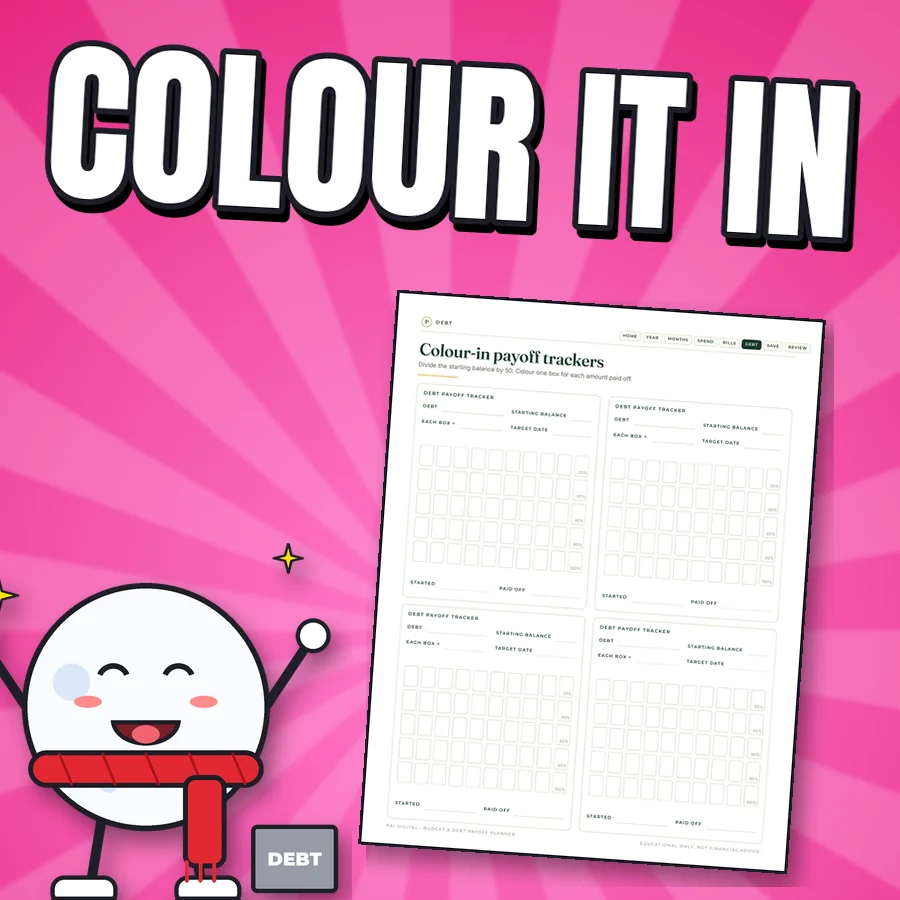
Happy cartoon snowball next to the real colour-in payoff trackers page
Colour-in payoff trackers One box per payment. Watching the boxes fill up is the point.
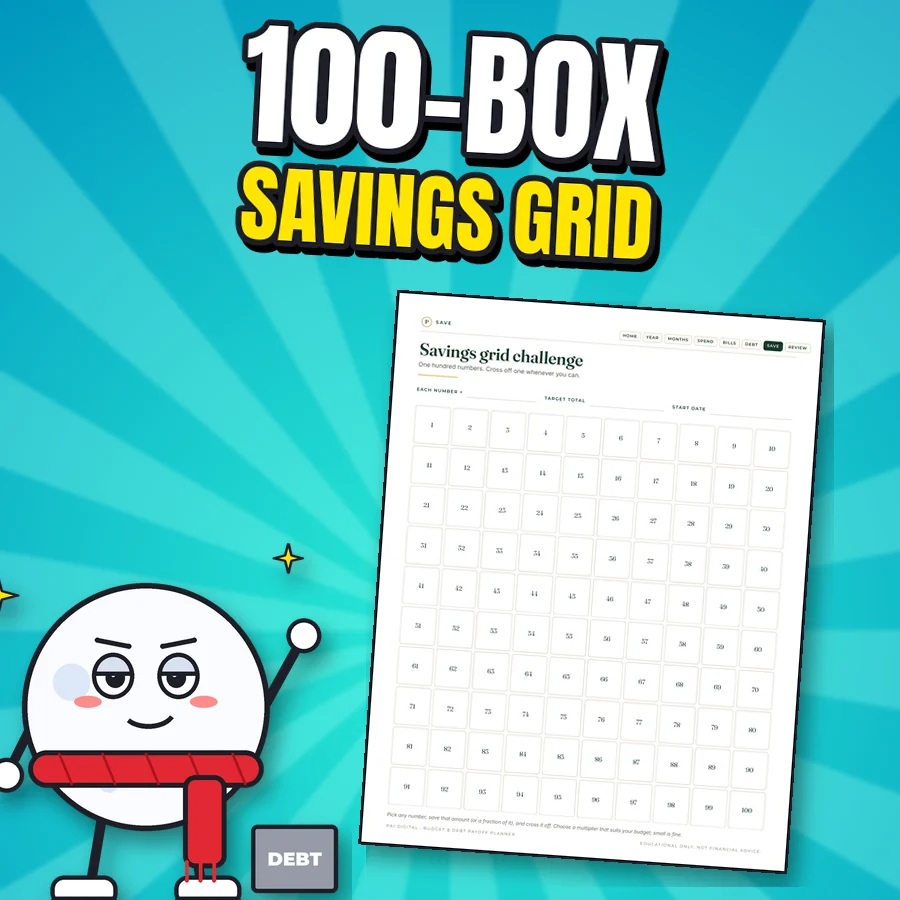
Proud cartoon snowball next to the real savings grid challenge page with 100 numbered boxes
100-box savings grid Plus the 52-week and no-spend challenge pages.
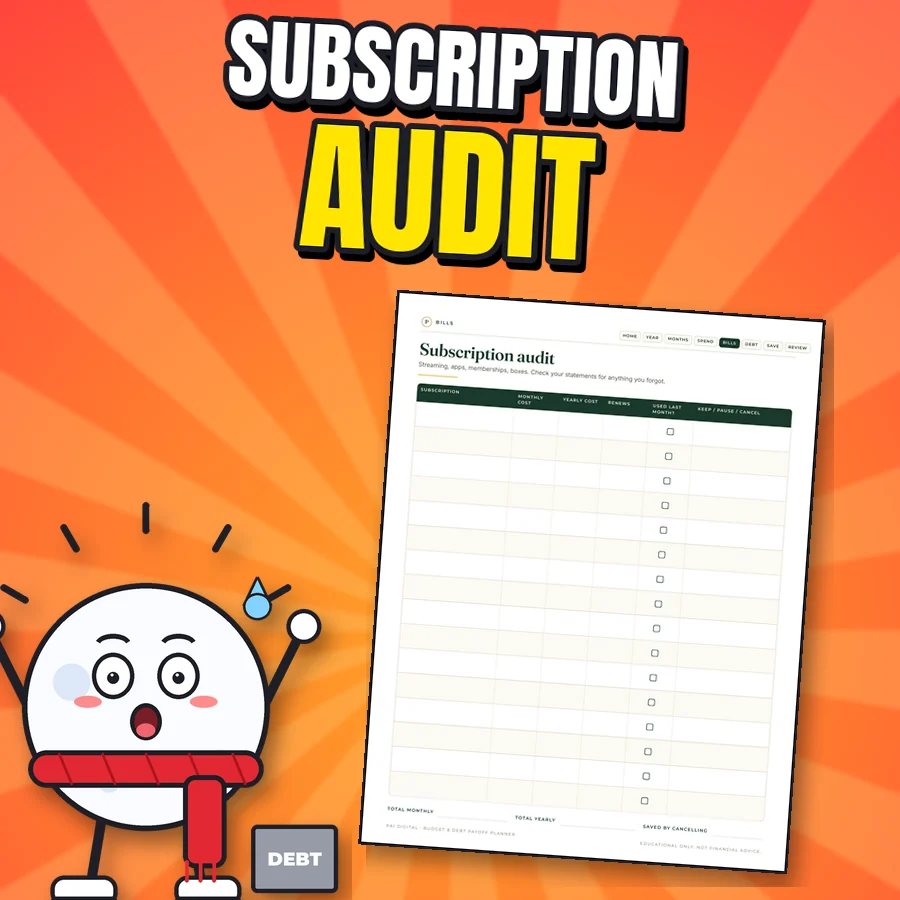
Shocked cartoon snowball next to the real subscription audit page
Subscription audit List every subscription and decide what stays. The spreadsheet's Bills & Subscriptions tab shows the true monthly and yearly cost.
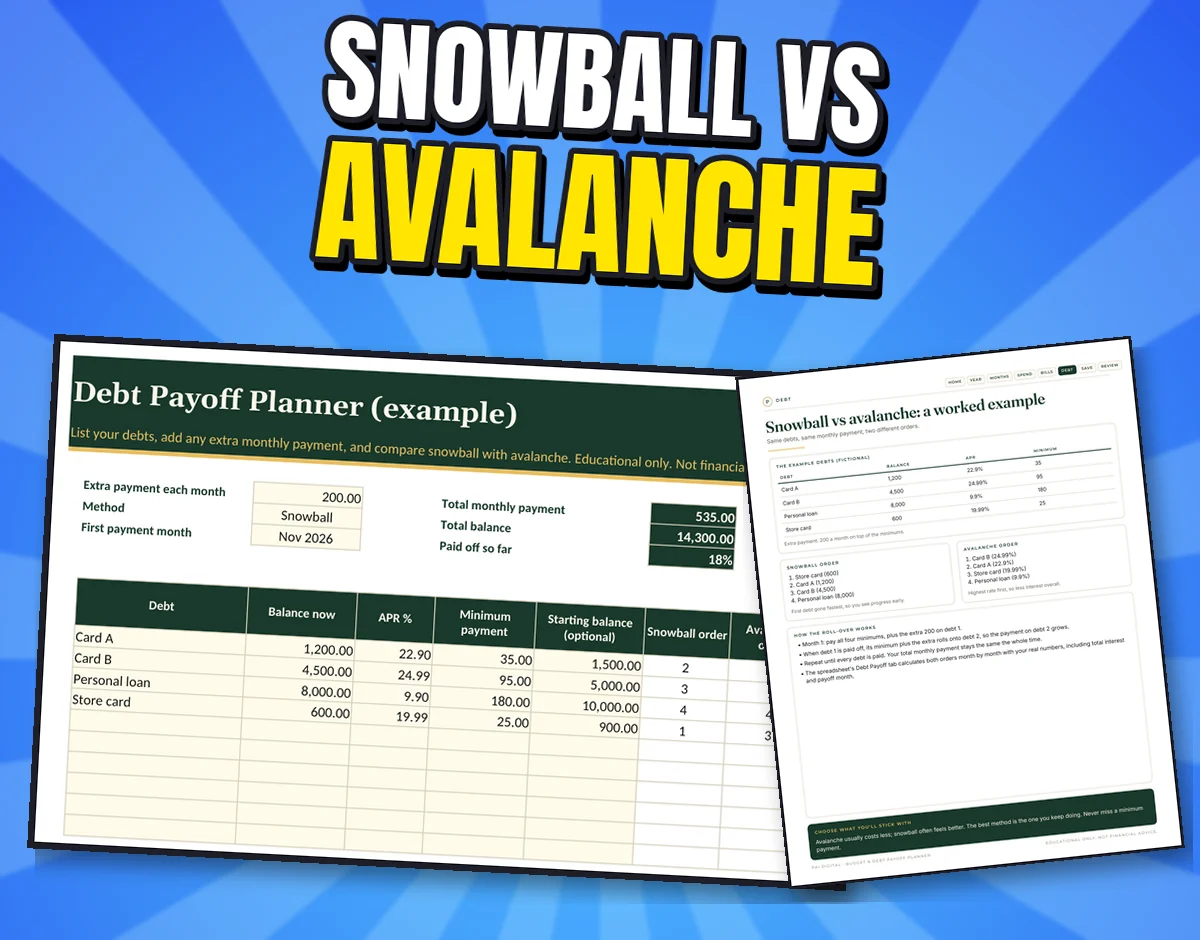
The real Debt Payoff tab with fictional example debts and the printable snowball vs avalanche worked example page
Debt Payoff: snowball vs avalanche Up to 10 debts. Snowball and Avalanche schedules calculate on their own tabs: the payoff month for each debt, the estimated debt-free date and total interest for both. The printable includes a worked example page.
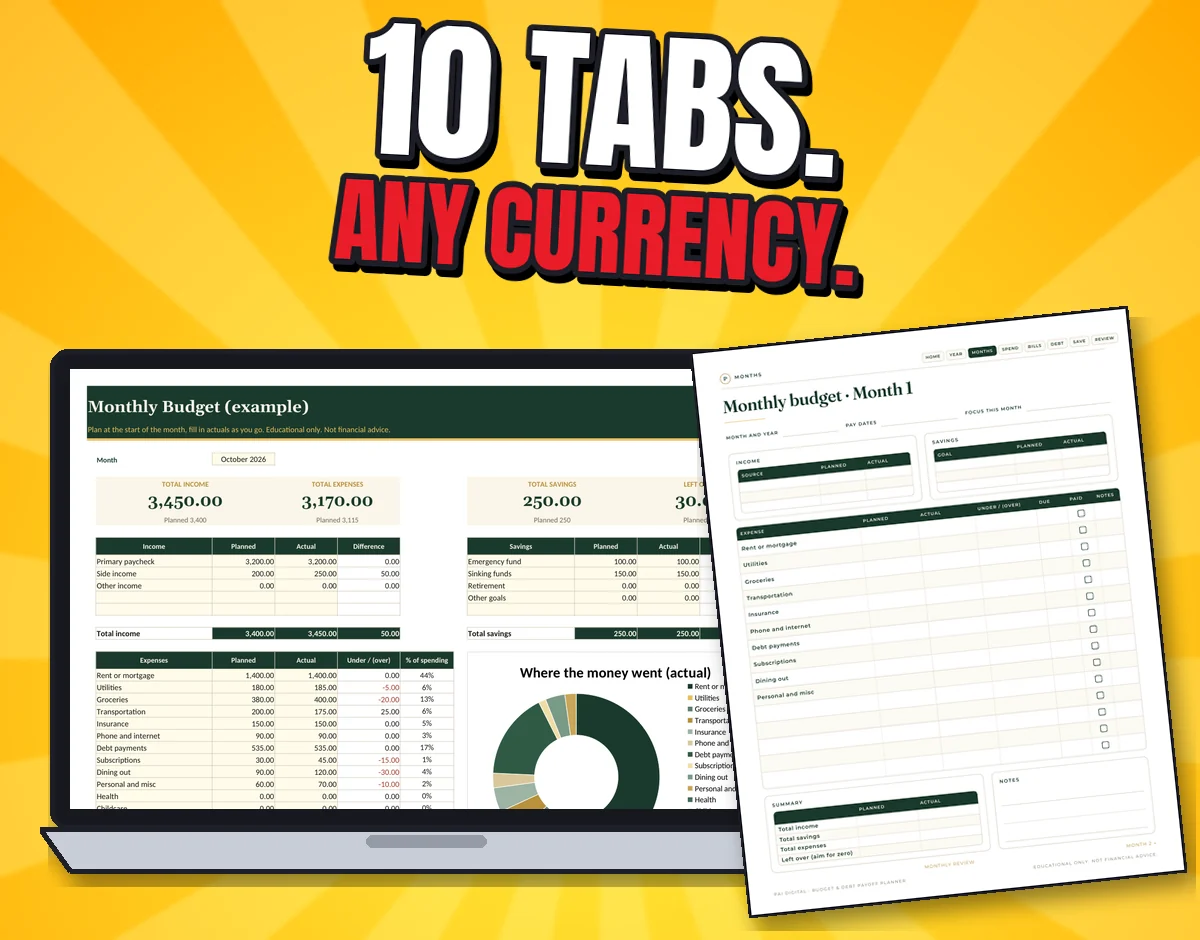
The real Monthly Budget tab (example) with income, expenses and a spending chart, next to a printable monthly budget page
Monthly budget and more Monthly Budget with a chart, Expense Log, Sinking Funds, Bills & Subscriptions, Net Worth and a Year Overview with your savings rate. No currency symbol, so it works in any currency.
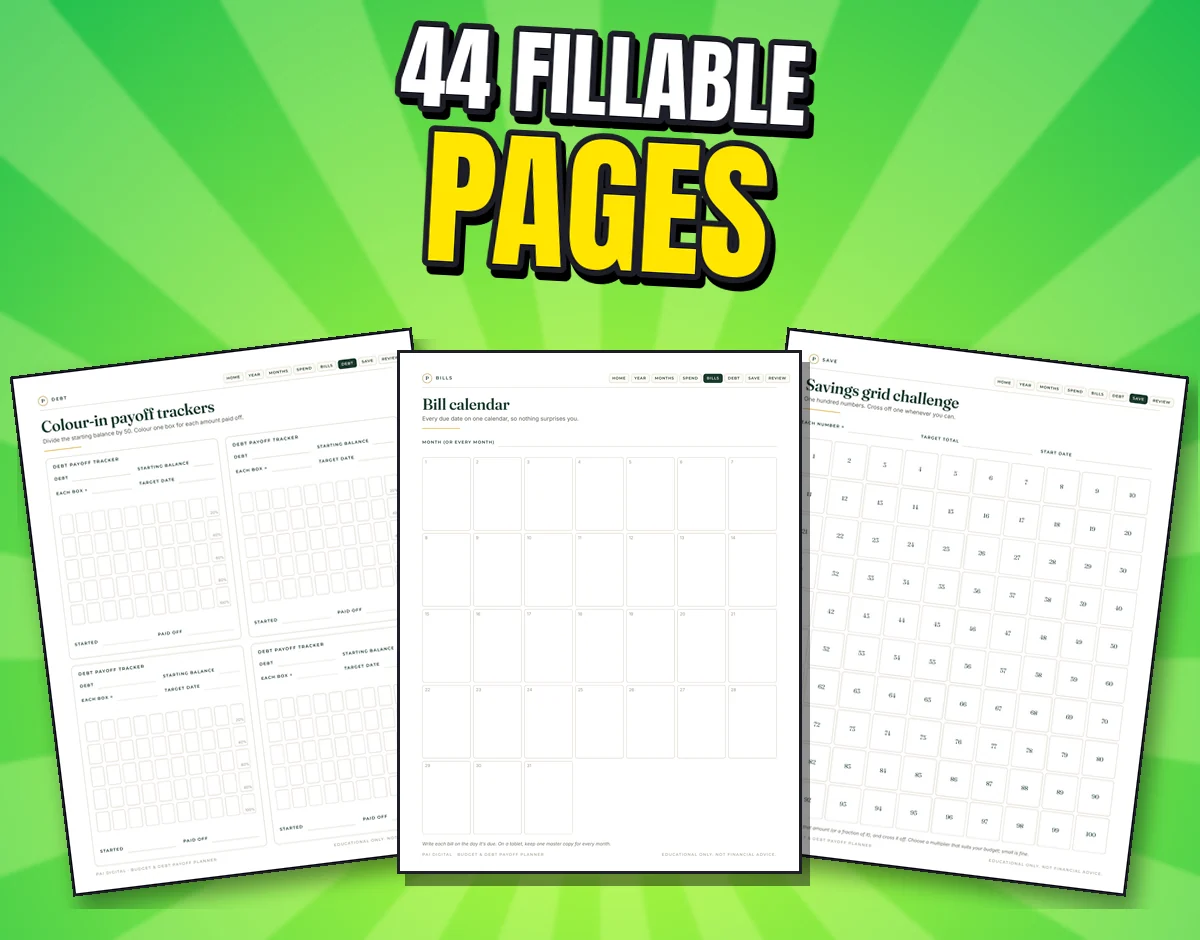
Three real printable pages: colour-in payoff trackers, the bill calendar and the 100-box savings grid
44 fillable printable pages Undated, in US Letter and A4: money goals, 12 monthly budgets, paycheck budget, expense log, cash envelopes, bill calendar, subscription audit, colour-in payoff trackers, emergency fund, 52-week, no-spend and 100-box savings challenges, and reviews.

What's included

Everything in the download

spreadsheet tabs
10
debts max
10
payoff methods
2
printable pages
44
  • Budget-Debt-Payoff-Planner.xlsx: the blank planner, 10 tabs, formulas protected so they can't be overwritten by accident
  • Budget-Debt-Payoff-Planner-EXAMPLE.xlsx: the same planner filled with fictional numbers, so you can see how it works
  • Budget-Debt-Printables: 44 fillable pages, US Letter and A4 PDFs
  • 00-Start-Here.pdf: what to type where
  • Works in Excel, Google Sheets, Numbers and LibreOffice. Print the PDFs or fill them in GoodNotes or any PDF app

Setup and use

Type your debts. Get two finish lines.

  1. List each debt

    Balance, APR and minimum payment for up to 10 debts. Add any extra you can pay each month.

  2. Compare both orders

    Snowball pays the smallest balance first for quick wins. Avalanche pays the highest rate first, which usually costs less interest. See months, dates and interest for each.

  3. Colour it in

    Print the payoff trackers and colour a box each time you pay. Review monthly with the budget and year overview.

After checkout: Checkout on Gumroad. Your download link appears after payment and in your Gumroad receipt and library.

Try it: same rule as the spreadsheet

Snowball or avalanche? Race them.

Three example debts are filled in. Change them to yours. This mini version uses the planner's rule: pay every minimum, put the extra on the first debt in the order, then roll its whole payment onto the next.

Snowball

smallest balance first–Total interest: –

    Avalanche

    highest rate first–Total interest: –

      The full planner handles up to 10 debts, adds dates, month-by-month schedules and progress bars.

      Get the planner on Gumroad · $5.99

      Estimate, example only. Assumes balances, rates and payments stay the same and interest is monthly at APR / 12. Lenders calculate interest their own way. Educational, not financial advice.

      Before you buy

      Devices, formats and limitations

      Devices

      • Educational, not financial advice. Estimates assume balances, rates and payments stay the same. No guarantee of savings or of a debt-free date. Example numbers are fictional.

      Formats

      • Delivered as a digital download (see What's included).

      Limitations and licence

      • Educational, not financial advice. Estimates assume balances, rates and payments stay the same; no guarantee of savings or of a debt-free date.
      • Example numbers in the screenshots are fictional.
      • Personal use licence. Digital download, nothing is shipped.

      FAQ

      Questions about Budget & Debt Payoff Planner

      Is $5.99 worth it?

      It's one payment for a working 10-tab spreadsheet and a 44-page printable, with no budgeting-app subscription. The snowball and avalanche schedules, charts and formulas are already built and tested.

      I've never used a spreadsheet. Can I do this?

      Yes. Cream cells are where you type, everything else calculates. The EXAMPLE file shows a filled-in month and debt plan, and Start Here explains what to type where.

      Can't I do this for free?

      Yes, you can build it yourself in a blank spreadsheet. This saves you the formulas, the two payoff schedules and the charts, and adds matching printables.

      Does it work in Google Sheets?

      Yes. Upload the file to Google Drive and open it with Google Sheets. Formulas, drop-downs and charts work there too. It also works in Excel, Numbers and LibreOffice.

      Which currency?

      Any. Amounts have no currency symbol.

      Is the debt-free date guaranteed?

      No. It's an estimate that assumes your balances, rates and payments stay the same and interest is charged monthly at APR / 12. Real lenders may calculate differently. Educational, not financial advice.

      Support and refunds

      Need help?

      Questions, or a file won't open? Email paidigitalstore@gmail.com with your order number. Sold by Pai Keng Kuan (Pai Digital, individual seller).

      Refunds: 7-day refund if the file is unused, corrupt, or materially misrepresented. Contact paidigitalstore@gmail.com. This doesn't limit your rights under applicable consumer law. Store policies.

      Related

      You might also like